make preferable
A power bank is no longer just a backup battery for your smartphone. Modern models can charge tablets, headphones, game consoles, and even laptops. But choosing the right portable battery is not so simple: high capacity does not guarantee several full charges, high power does not always mean fast charging, and having USB Type-C does not automatically make a device universal.
To avoid paying extra for features you will never use, it is important to understand a few key specifications. Here is what to look for when buying, which technologies are genuinely useful, and why even a good power bank can turn out to be useless on a plane.
Capacity: how many times a power bank can charge your smartphone
The first thing people usually look at when choosing a power bank is its capacity. This is measured in milliamp-hours (mAh). The higher the number, the more energy the power bank can store.
The most common options are 5,000, 10,000, 20,000, and 30,000 mAh. Your choice depends on how often you plan to use the power bank and which devices you intend to charge.
· 5,000 mAh — a compact backup power source. Suitable for extending your smartphone's battery life a little or partially topping it up during the day. These models are convenient to carry in a pocket.
· 10,000 mAh — a versatile option for everyday use. Usually provides roughly 1–1.5 full charges for a modern smartphone.
· 20,000 mAh — a good choice for travel and multiple gadgets. This capacity is enough for several phone charges or to top up a tablet.
· 30,000 mAh and above — an option for long trips, hiking, and situations where a power outlet will be unavailable for an extended period. But greater capacity comes at the cost of size and weight.
There is a catch, however: the number printed on the casing does not mean that a 10,000 mAh power bank can charge a smartphone with a 5,000 mAh battery twice.
This is because the capacity of a power bank's internal cells is specified at a voltage of around 3.6–3.7 V, while a USB port usually supplies 5 V or more. Some energy is lost during voltage conversion, including as heat. The power bank's own electronics also consume electricity.
For a more accurate estimate, it is therefore useful to look not only at milliamp-hours but also at energy capacity in watt-hours (Wh). For example, a 10,000 mAh battery at 3.7 V contains approximately 37 Wh of energy. Less of that reaches the smartphone, so in practice you usually get around one to one and a half full charges of a 5,000 mAh battery.
Power: why 100 W is not always better than 30 W
The second important specification is output power, measured in watts. It determines how much energy a power bank can transfer to a device per unit of time, and therefore affects charging speed.
The following values can serve as a guide for different uses:
· 10–15 W — a basic option for smartphones, headphones, and other small gadgets. Suitable if charging speed is not particularly important.
· 18–30 W — the optimal range for many modern smartphones. This is enough power to fast-charge a wide range of models.
· 45–65 W — a good choice for tablets, some laptops, and smartphones that support higher-power charging.
· 100 W and above — an option for high-performance laptops and charging several power-hungry devices simultaneously.
But there is an important limitation: a power bank's maximum output does not guarantee that a connected gadget will charge at that rate. The device must support the corresponding power mode. If a smartphone is designed for 25 W, connecting it to a 100 W power bank will not make it charge four times faster.
In addition, the maximum output can differ between ports on the same power bank. For example, USB Type-C may deliver 65 W, while USB Type-A provides only 18 W. When several devices are connected at once, the available power may be shared between them.
Before buying, it is therefore worth checking the specifications of each port and the power distribution chart for simultaneous charging.
Fast-charging standards matter as much as watts
High power is necessary for fast charging, but it is not the only requirement. The power bank and the connected device must support a compatible power delivery protocol.
One of the most versatile options is USB Power Delivery (USB PD). This standard is used in smartphones, tablets, laptops, and other devices with USB Type-C. When connected, the devices negotiate suitable voltage and current settings to deliver the required power.
There are other technologies worth considering:
· USB PD PPS — an extension of Power Delivery that allows more flexible adjustment of voltage and current. Particularly useful for compatible Android smartphones, including certain Samsung models.
· Qualcomm Quick Charge — a fast-charging standard found in smartphones powered by Qualcomm processors and other compatible devices.
· Proprietary protocols — technologies from Xiaomi, OPPO, OnePlus, realme, and other manufacturers. They can deliver very high charging speeds, but often require a compatible charger and cable to achieve maximum power.
If you want a versatile power bank that will serve you for several years, choosing a model with USB PD makes sense. PPS support is an added advantage if your smartphone uses it.
Owners of devices with proprietary ultra-fast charging, however, should check compatibility in advance. Even a 65 W USB PD power bank may not deliver the maximum charging speed if the smartphone uses a different protocol.
Incidentally, manufacturers used to list only the output current, such as 2 or 2.4 A. Today, watts are a more useful guide, since power depends on two parameters:
\[ P = U \times I \]
Here, P is power in watts, U is voltage in volts, and I is current in amperes. For example, a voltage of 5 V and a current of 3 A produce 15 W. If the voltage increases to 9 V at the same current, the power rises to 27 W.
Ports and cables: the weak link in fast charging
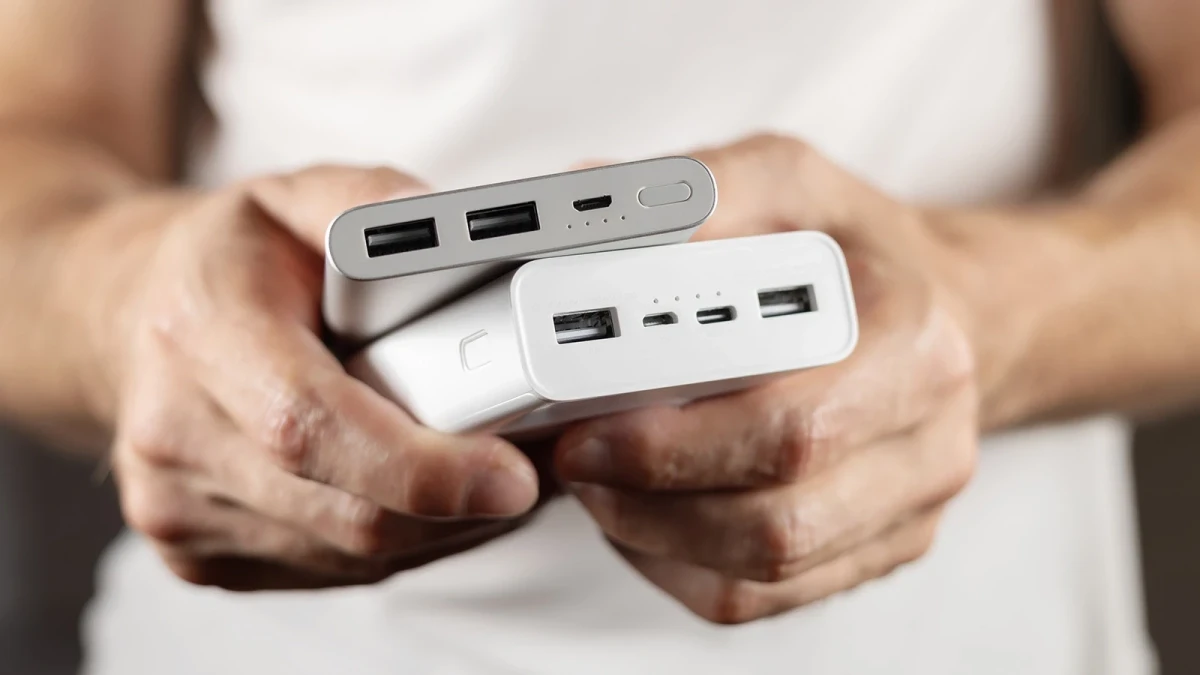
Modern power banks have two main types of ports: USB Type-A and USB Type-C.
The first is the familiar rectangular port used in many older chargers. The second is a compact, reversible connector that can be plugged in either way up. It supports modern fast-charging protocols and can power not only smartphones but also laptops.
When buying a new power bank, it is best to choose a model with at least one USB Type-C port. Even better if that port can both charge other devices and recharge the power bank itself.
USB Type-A can also be useful, especially if you still have older cables or need to connect several gadgets at once.
But do not forget about the cable itself. Even a powerful battery cannot perform to its full potential if the cable is not rated for the required load. For a smartphone, a quality USB Type-C cable that supports the necessary power is usually enough. Requirements are stricter for laptops and charging at 100 W or above: cables with an E-Marker chip may be needed.
When choosing a cable, check its stated power rating, such as 60 or 240 W. It is important that this matches the capabilities of the power bank and the connected device.
Can you charge a laptop with a power bank?
Yes, but you need a suitable power bank. First and foremost, it must support USB Power Delivery and supply enough power through USB Type-C.
For many compact laptops, 45–65 W is sufficient. Higher-performance models may require 90–100 W or more. Before buying, check the laptop's original power adapter: if it is rated at 65 W, a power bank with the same or a higher output is a sensible choice.
You also need to check whether the laptop itself supports charging via USB Type-C. Having this port does not automatically mean it can accept power through it. Sometimes a computer has several Type-C ports, but only one supports charging.
Capacity matters too. For a laptop, it is best to consider models with at least 20,000 mAh, or 25,000–30,000 mAh and above if you need to work away from an outlet for a long time. Keep in mind energy losses during conversion, as well as the fact that a high-performance laptop may consume power faster than the power bank can replenish it.
Wireless charging: convenience with caveats
Some power banks have a wireless charging pad. Simply place a compatible smartphone on it to start charging. This is convenient if you do not want to plug in a cable every time.
However, wireless charging is usually less efficient than wired charging: some energy is lost, and both the power bank and the smartphone can become noticeably warm. Speed also depends on the supported standard.
The most common standard is Qi. The newer Qi2 features magnetic alignment and supports wireless charging at up to 15 W. The Qi2 25W version allows compatible devices to charge at up to 25 W.
However, a power bank having Qi2 does not by itself guarantee that speed for every smartphone. The device must also support the corresponding standard.
If you often charge your phone on the go, a wireless charging pad can be useful. But if speed and efficiency matter, a wired connection is usually more practical.
Which extra features are genuinely useful?
Manufacturers equip power banks with many extra features. Some make them noticeably more convenient to use, while others are more of a nice bonus.
· Display. Shows the remaining charge as a percentage, and sometimes the current power, voltage, and amperage as well. This is more informative than a few LEDs that only indicate the approximate charge level.
· Built-in cable. Saves you from carrying a separate cable. Particularly convenient for compact models that you always keep in your bag.
· Magnetic attachment. Allows you to attach a compatible smartphone to the power bank and charge it wirelessly. Useful for owners of devices with a suitable magnetic system.
· Pass-through charging. Allows you to charge the power bank itself and a connected gadget at the same time. Convenient if only one outlet is available, but check the limitations of the specific model.
· Water and dust resistance. Useful for hiking and outdoor trips. Look for a specific IP rating rather than a vague claim of being “water-resistant.”
· Flashlight. Can come in handy in the dark or during a power outage, but should probably not be the deciding factor when buying.
Solar panels deserve special attention. Some power banks have small solar cells that allow them to recharge gradually outdoors. However, you should not rely on them as a full-fledged power source: these panels are usually too small to charge quickly. They are more of an additional option for long hikes in good weather.
Size and weight: do not buy extra capacity unless you need it
The higher the battery capacity, the larger and heavier the device usually is. That is why the highest-capacity model is not always the best choice.
If you mainly need a power bank for your smartphone and want to keep it close at hand, a compact 5,000–10,000 mAh model is more convenient. It can fit in a pocket or a small bag.
A 20,000 mAh power bank is noticeably larger, but better suited to trips and charging multiple devices. Choose models with 30,000 mAh or more if you genuinely need a large energy reserve and the extra weight will not be a problem.
Compare not only capacity but also weight, thickness, and casing shape. Even devices with identical specifications can differ significantly in how easy they are to carry.
Can you take a power bank on a plane?
Yes, but restrictions apply, and you need to consider not only milliamp-hours but also energy capacity in watt-hours.
Under the general rules for transporting lithium batteries:
· Power banks must be carried in carry-on baggage, not checked baggage.
· Devices with a capacity of up to 100 Wh are usually allowed without prior airline approval.
· Batteries between 100 and 160 Wh require the carrier's permission, and additional restrictions may apply to power banks.
· Devices above 160 Wh are not permitted under normal passenger baggage rules.
There is also an important change: new international ICAO restrictions came into effect on March 27, 2026. Passengers are allowed to carry no more than two power banks, and using them during the flight is prohibited. Before traveling, you should still check your particular airline's rules, as requirements may differ between carriers.
As a guide, a 20,000 mAh power bank with a nominal voltage of 3.7 V has an energy capacity of about 74 Wh. For a 30,000 mAh model, the figure is approximately 111 Wh. This means that the higher-capacity battery may already require airline approval.
Safety: where you should not cut corners
A power bank contains lithium-ion or lithium-polymer cells, so build quality and protective electronics are crucial. Cheap models from unknown manufacturers may have inflated capacity claims, poor-quality battery cells, and inadequate protection.
When buying, look for:
· overheating protection;
· short-circuit protection;
· overload and overvoltage protection;
· temperature monitoring;
· clear labeling, documentation, and a manufacturer's warranty.
Do not leave a power bank in direct sunlight, near heaters, or in a closed car in hot weather. Do not use a device with a damaged casing, a swollen battery, or an unusual smell. If the battery becomes very hot, stop using it.
Which power bank should you ultimately choose?
There is no universal option that suits everyone equally well. But you can choose specifications to match your main uses.
Intended use | What to look for |
Everyday smartphone charging | 5,000–10,000 mAh, 18–30 W, USB-C |
Travel and multiple gadgets | 20,000 mAh, 30–65 W, multiple ports |
Tablet and compact laptop | 20,000–30,000 mAh, USB PD, 45–65 W |
Powerful laptop | 25,000 mAh and above, USB PD, 100 W or more |
Hiking and extended periods away from an outlet | 20,000–30,000 mAh or more, a protected casing, a little extra power headroom |
The main rule is not to choose a power bank based on a single number on the packaging. Capacity determines the energy reserve, power determines the transfer rate, protocols determine compatibility, and ports and cables determine whether you can actually make use of the advertised capabilities.
A good power bank is not necessarily the most expensive or the one with the highest capacity. It is a model that suits your devices, provides the charging speed you need, and does not make you carry unnecessary weight and bulk everywhere.