make preferable
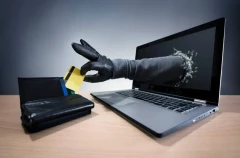
In 2025, 1.1 million master passwords for popular password managers were found in stolen-data databases discovered on criminal platforms. The figures come from US company SpyCloud's 2026 report. A master password unlocks a vault that may contain login credentials for email, banking services, social media and workplace systems. Its theft can therefore put many accounts at risk at once.
Alexander Gusev, chief technology officer at data protection company Haspbox, told Gazeta.Ru how attackers steal master passwords and what measures help reduce the risk of a breach.
How hackers steal master passwords
Password managers generally do not store master passwords in plain text. This means that even a breach of the developer's server does not necessarily allow attackers to log in to users' accounts. However, criminals can obtain the secret password in other ways.
1. Phishing. Users are shown a fake page or window that mimics the password manager's interface. If they enter their master password there, the information goes to the attackers. Links in emails and messages urging users to verify their account or restore access immediately are especially dangerous.
2. Spyware. Malware on a computer can record keystrokes, take screenshots and intercept other data. In this situation, even a long, complex password does not guarantee protection.
Gusev cited the 2022 LastPass incident as an example: an attacker infected an employee's personal computer and obtained their master password, then managed to bypass multifactor authentication.
3. A weak or reused password. If someone uses the same password on several websites, a leak at one of them may help criminals gain access to their password manager as well. Short passwords, common combinations and phrases that can be cracked using automated tools are especially risky.
Seven rules for protecting your master password
1. Create a long, unique password.
Your master password should be different from all your other passwords. The expert recommends using a phrase at least 16 characters long or a combination of five to seven random words. It is important not to reuse it on other services and to make sure it cannot easily be guessed from information about the account holder.
2. Enable multifactor authentication.
An additional layer of protection makes it harder to access the vault even if the password has been compromised. Where possible, choose a hardware security key or another phishing-resistant method, such as solutions based on FIDO2 and WebAuthn. Depending on the service, these may use a hardware key, biometrics or a PIN.
3. Do not enter your master password in suspicious windows.
If a website unexpectedly asks you to unlock your password manager, it is better to close the window and open the official app or browser extension yourself. Do not follow links in suspicious emails and messages, even if they look like notifications from a familiar service.
4. Use local unlocking.
Biometrics or a device PIN let you enter your master password manually less often. This reduces the likelihood of it being intercepted by spyware that records keystrokes. However, local unlocking does not protect against every type of malware, so it is no substitute for other security measures.
5. Update your software regularly.
Install updates for your operating system, browser and password manager extensions. Do not use cracked software or apps from questionable sources: they may contain malicious code capable of stealing login credentials.
6. Keep backup codes in a safe place.
Backup codes for recovering access to multifactor authentication are best stored offline—for example, on paper in a secure location. Do not leave them in unprotected notes, conversations or documents accessible from the same device as your password manager.
7. Prepare an action plan in case of a breach.
If you have entered your master password on a suspicious page or suspect your computer is infected, do not change it from the same potentially compromised device. First, switch to another device that you know is clean.
Then change your master password, end active sessions, remove any unknown trusted devices and change the passwords for your most important accounts—especially your primary email, banking and workplace services.
Why changing your master password alone may not be enough
If an attacker has already gained access to your device or accounts, simply changing the master password will not necessarily solve the problem. For example, criminals may steal cookies that keep a session logged in. In that case, they can sometimes continue using the account even after the password has been changed.
That is why, if you suspect a compromise, it is important to do more than change your master password: revoke active sessions, check the list of trusted devices, remove any possible malware infection and change the passwords stored in your vault, starting with the most important accounts.
A password manager remains a useful security tool: it helps you create unique passwords and avoid reusing them across websites. But the security of such a vault depends not only on the reliability of the service itself, but also on how you protect your master password and the device you use to access your data.