make preferable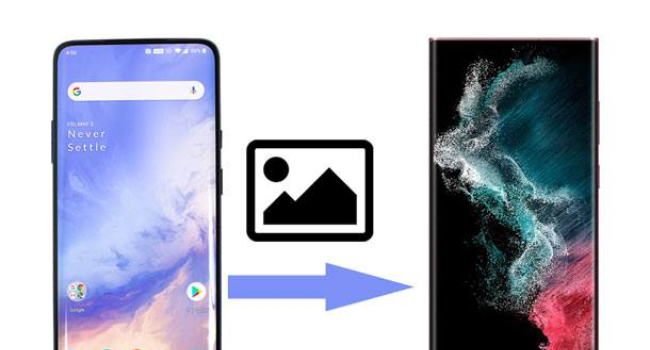
AirDrop makes iPhone users genuinely envious. But in reality, Google and Android device manufacturers have long offered equally convenient tools for fast transfer of photos, videos, and other files between two smartphones. Here are five of the simplest and fastest ways.
1. Nearby Share / Quick Share — the best universal method
This is Google’s official AirDrop analogue, which works on most modern Android smartphones.
How to enable and use:
On both devices, turn on Bluetooth, Wi-Fi, and location services.
Pull down the notification shade and tap the “Quick Share” tile.
On first launch, allow visibility to nearby devices.
On the sender phone, long-press the photo (or multiple files) → Share → Quick Share.
Select the target smartphone from the list.
Transfer occurs via Wi-Fi, so even large photos and videos are sent very quickly. If the recipient does not want to be visible, a QR code can be generated for scanning.
2. Bluetooth transfer
The oldest but still working method. Suitable only for small numbers of small files.
Enable Bluetooth on both smartphones.
Long-press the photo → Share → Bluetooth.
Select the recipient device and confirm reception.
Downside: transfer is slow. One 5 MB photo may take about a minute.
3. ShareMe (Mi Drop) — best for Xiaomi smartphones
ShareMe (formerly Mi Drop) is preinstalled on all Xiaomi, Redmi, and Poco devices. It works very fast using a direct Wi-Fi connection.
Simply:
Launch ShareMe on both devices.
On one, select files and tap “Send.”
On the other, tap “Receive.”
The app works not only between Xiaomi devices but also with any other Android smartphones after installation.
4. Huawei Share — for Huawei and Honor devices
Huawei offers its own very convenient Huawei Share feature.
How to use:
Enable Huawei Share on the receiving device.
On the sending device: long-press the photo → Share → More → Huawei Share.
Select the target smartphone.
The feature allows transferring not only local files but also links and even controlling a smartphone from a computer.
5. Via Google Photos or cloud (when devices are far apart)
If smartphones are not near each other, the simplest option:
Open Google Photos.
Select the desired images → Share → send a link via any messenger.
Or save the photos to a shared Google Drive folder.
Which method to choose?
Nearby and need it fast → Nearby Share
Xiaomi / Redmi / Poco → ShareMe
Huawei / Honor → Huawei Share
Few files and no Wi-Fi → Bluetooth
Devices far apart → Google Photos or cloud storage
All listed methods work without installing additional apps (except ShareMe, which is already installed on Xiaomi). They are secure and much more convenient than sending photos through messengers.
In short
The most convenient way to transfer photos between Android smartphones in 2026 is Nearby Share. For Xiaomi devices, ShareMe is great, and for Huawei — Huawei Share. Bluetooth should only be used for single small files. All these methods work without the internet and do not require installing extra apps.