make preferable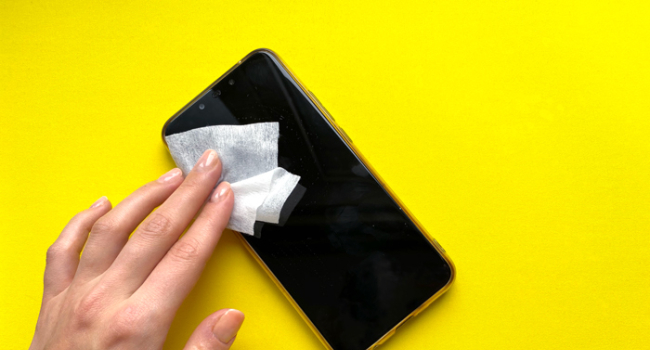
Smartphones are an essential part of daily life, but improper care can turn them into a source of trouble or even render them unusable. Experts, as reported by UfacityNews, have identified wet wipes as one of the primary dangers to modern gadgets. They also highlighted other mistakes that shorten a device’s lifespan. Here’s why wet wipes are harmful, how to properly clean your smartphone, and which habits to change to keep it in top condition.
Why Wet Wipes Harm Your Smartphone
Smartphones collect bacteria daily—studies show screens can harbor more germs than a doorknob. The urge to clean your device is understandable, but wet wipes pose risks:
- Moisture: Even with IP68 water resistance, water from wipes can seep through micro-cracks in the body, ports, or speaker grilles, causing corrosion of internal components.
- Chemicals: Alcohol, ammonia, or other harsh substances in wipes degrade the screen’s oleophobic coating, making it less resistant to fingerprints and scratches.
- Speakers: Moisture entering speaker grilles can damage membranes, leading to quieter or distorted sound. According to Gadget Ufa, up to 15% of speaker failures are linked to improper cleaning.
What to Do Instead:
- Use a microfiber cloth (like those for glasses) with a small amount of specialized electronics cleaning spray (e.g., WHOOSH! or Ecomoist).
- For stubborn stains, lightly dampen the microfiber with distilled water and wipe dry immediately.
- For disinfection, use UV sterilizers or visit a service center for professional cleaning solutions.
- Avoid wiping ports and grilles—use compressed air or a soft brush instead.
Other Threats to Your Smartphone
Gadget Ufa experts outlined additional factors that reduce a device’s lifespan:
- Cheap Charging Accessories Non-certified adapters and cables (especially from AliExpress or street vendors) are dangerous:
- Unstable Voltage: Can damage the power controller or battery. Statistics show 20% of USB-C port failures are due to low-quality cables.
- Fire Hazard: Poor-quality chargers may overheat, risking fire or electric shock.
- Recommendation: Buy accessories with MFi certification (for iPhone) or from trusted brands like Anker, Belkin, or Samsung. Verify support for fast charging (PD/QC) and appropriate wattage (e.g., 20W for iPhone).
- Extreme Temperatures Overheating or freezing can destroy a smartphone:
- Heat: Direct sunlight or prolonged gaming (e.g., Genshin Impact on max settings) overheats the processor and battery, reducing capacity by 25–35% annually. Apple notes an optimal temperature range of 0–35°C.
- Cold: Below -10°C, lithium-ion batteries lose efficiency, and screens may lag.
- Recommendation: Avoid leaving your phone in sunlight, cars, or near heaters. Use a heat-dissipating case for gaming and refrain from charging during overheating.
- Improper Charging Lithium-ion batteries are sensitive to charging habits:
- Overnight Charging: Keeping the phone at 100% all night causes micro-stress, accelerating battery degradation. Modern smartphones (iPhone, Samsung) have protections, but they’re not foolproof.
- Full Cycles: Discharging to 0% and charging to 100% wears out the battery faster than partial cycles.
- Recommendation: Maintain charge between 20–80%. Unplug 2–3 hours before sleep. Use “Optimized Battery Charging” (iOS) or similar Android features to cap at 80–85%.
How to Extend Your Smartphone’s Lifespan
- Cleaning: Use only microfiber and specialized solutions. For ports, use compressed air, not toothpicks.
- Charging: Stick to certified accessories and keep charge levels at 20–80%.
- Temperature: Avoid heat and cold; take breaks during heavy gaming.
- Service: For serious dirt or damage, consult professionals instead of experimenting at home.
- Case and Screen Protector: Shield the screen and body from drops and scratches, especially for premium models like the Huawei Mate 70 RS.
Conclusion
Wet wipes, cheap chargers, and overheating are hidden enemies of modern smartphones, capable of causing corrosion, damaging speakers, or shortening battery life. Gadget Ufa experts emphasize that proper care extends a device’s lifespan and saves on repair costs. Simple steps like using microfiber cloths and certified accessories will keep your smartphone in excellent shape.