make preferable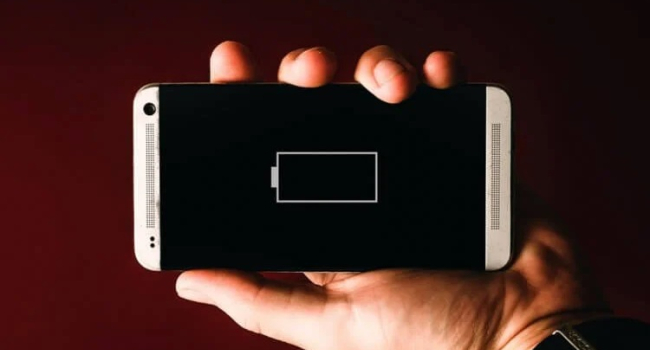
In an age where our smartphones are almost an extension of ourselves, battery life has become more than just a feature—it's a necessity. Whether you're on a long flight, in a meeting, or simply enjoying a day out, the last thing you want is your phone dying on you.
NEWS.am Tech is offering an easy to follow guide on how to extend that precious battery life.
1. Optimize Your Screen Settings
The screen is one of the biggest power consumers on your smartphone. Here’s how you can make it more efficient:
- Reduce Brightness: Dim your screen or let your phone auto-adjust brightness based on ambient light. A lower brightness setting can significantly extend battery life.
- Screen Timeout: Set a shorter screen timeout duration. There's no need for your screen to stay on if you're not actively using it.
- Switch to Dark Mode: If your device supports it, dark mode reduces power usage on OLED screens by lighting up fewer pixels.
2. Manage Connectivity
Wireless connections are another major drain:
- Wi-Fi vs. Mobile Data: Use Wi-Fi when available, as it's less power-intensive than mobile data. But remember to turn Wi-Fi off when it’s not in use to prevent it from constantly searching for networks.
- Bluetooth and Location Services: Only keep these on when necessary. Bluetooth, especially when connected to battery-draining accessories like smartwatches, can quickly deplete your battery.
- Airplane Mode: In low-signal areas, turning on Airplane mode can help because your phone isn't constantly searching for a signal.
3. App Management
Apps can be silent battery killers:
- Close Unused Apps: Modern OS might handle this automatically, but manually closing apps not in use can save battery.
- Review App Permissions: Go to settings and check which apps are using location services or running in the background unnecessarily.
- Update Apps: Developers often release updates that improve battery efficiency, so keep your apps up to date.
4. Software Updates
- Update Your OS: Operating system updates often include optimizations for battery life. However, be aware that major updates can sometimes have the opposite effect initially, so keep an eye on battery usage after updating.
5. Battery Health and Charging Habits
- Avoid Full Charges and Discharges: Modern lithium-ion batteries don't need to be fully charged or completely drained. Aim for 20-80% if possible for daily use to prolong battery life.
- Use the Right Charger: Stick to the charger provided by your manufacturer or one with similar specifications. Fast chargers can be useful but might stress the battery over time.
- Battery Optimization Settings: Most smartphones have built-in battery savers or optimization modes. Enable these for extended use when your battery is low.
6. Limit Background Data
- Background App Refresh: Disable this for apps that don't need to update constantly in the background.
- Push Notifications: Only allow notifications from apps you care about. Each notification consumes a bit of power.
7. Physical Care
- Temperature Control: Keep your phone away from extreme temperatures. Both heat and cold can affect battery performance and longevity.
- Case Choice: If you use a case, ensure it doesn't trap heat around your phone, which can lead to increased battery drain.