make preferable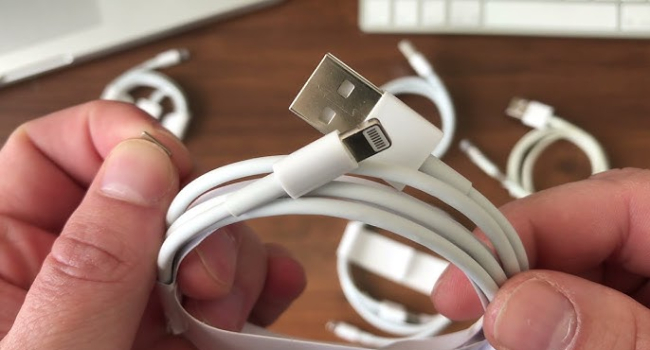
At first glance, cheap USB cables may seem like a convenient and cost-effective solution. However, they can expose you to serious cybersecurity risks, including data leakage, hacking, and even damage to your devices.
1. Risks of malicious USB cables
- Data interception: Malicious cables, such as the infamous “O.MG cable,” are capable of intercepting data, including passwords and personal information, and sending it to hackers.
- Remote control: Some cables can act as a keyboard or mouse, allowing attackers to send commands to your device remotely, install malware, or gain unauthorized access.
- Malware injection: Counterfeit cables may contain embedded chips that automatically infect your device with spyware, viruses, or ransomware when connected.
- Power surges: Low-quality cables may not properly regulate voltage, which can damage your device and make it more vulnerable.
2. How malicious cables work
- Disguise: They look like regular cables, making them difficult to identify.
- Embedded Modules: Malicious cables are equipped with tiny hardware modules that:
- Record keystrokes.
- Install software without the user’s knowledge.
- Open backdoors for remote access.
3. Who is at risk?
- Business: Untrusted cables used by employees can put corporate networks at risk.
- Travelers: Using public charging stations (“juice jacking”) puts your device at risk of being infected with malware.
- Consumers: Buying cheap cables from untrusted sellers increases the likelihood of cyber threats.
4. How to protect yourself?
- Buy from trusted brands: Only buy cables from reputable manufacturers or authorized sellers.
- Avoid public charging stations: Use USB data blockers (also called “USB condoms”) or carry your own charger and cable.
- Check cables: Inspect cables for unusual markings, weight differences, or bulky connectors that may indicate modifications.
- Use cables for charging only: Cables designed exclusively for charging do not transfer data, reducing the risk of hacking.
- Disable USB ports: For highly sensitive devices, you may want to disable USB ports to prevent unauthorized connections.