make preferable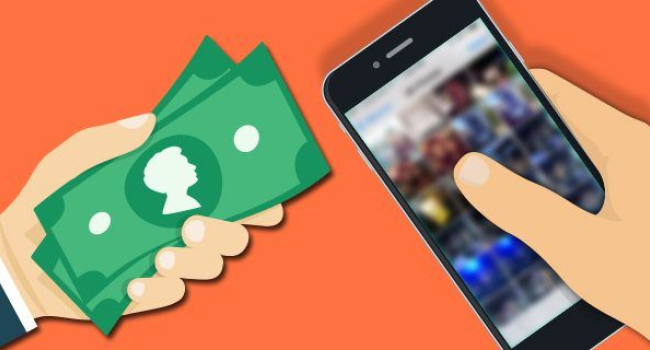
Selling an old smartphone is a great way to recover part of the cost of a new device, but without proper preparation you risk losing personal data or discouraging a buyer with a worn appearance. The process includes three stages: improving the device’s appearance, transferring important information, and performing a full reset. By following these steps, you increase the resale value and keep your personal data safe.
Make the Smartphone Look Attractive
Daily use leaves marks such as scratches on the screen, scuffs on the body, and faded cases. Before selling, remove all accessories; buyers want to see the actual condition of the device rather than a disguise. If the case or screen protector is in poor condition, throw it away. A clean smartphone looks newer and more expensive.
Charge the battery to one hundred percent. This allows the buyer to fully test the device and helps you avoid claims about a non working phone. A discharged device raises suspicion and may ruin the deal.
Transfer All Important Data
Before resetting, save your photos, videos, contacts, messages, and apps. The method depends on whether you already have a new smartphone.
If you already bought a new device, use brand specific tools. Samsung offers Smart Switch, Huawei has Phone Clone, and Xiaomi provides Mi Mover. These apps transfer not only files, but wallpapers, icon layout, and settings. When switching from Android to iPhone, select Transfer data from Android during initial setup and install the Move to iOS app. The reverse process is done through iCloud; create a backup on the old iPhone and restore it on the Android device using the web version.
If you are switching from iPhone to iPhone, one Apple ID is enough. During setup, approve the transfer of data from the cloud.
If you do not have a new device yet, upload a backup to the cloud or a computer. On Android, go to Settings, Accounts, Google, Backup to save contacts, calendar entries, and apps. Photos and videos can go to Google Photos, which is free up to fifteen gigabytes. Connect the smartphone to a computer with a cable to copy files manually.
Delete All Data and Perform a Factory Reset
This is the critical step for security. A reset removes accounts, photos, and apps, making recovery impossible.
On Android go to Settings, About phone, Reset, Erase all data. Enter your password and confirm.
On iPhone go to Settings, General, Transfer or Reset iPhone, Erase all content and settings. On iOS fifteen and later the Apple ID unlinks automatically. On older versions you must do it manually through Settings, Apple ID, Find My, disable Find My iPhone, then sign out.
After the reset, the smartphone will be like new, with no personal data and factory settings restored.
In Short
To prepare for sale, remove the case and screen protector and charge the device to one hundred percent. Transfer data using Smart Switch, Phone Clone, or cloud backup and Google Photos. Reset to factory settings; on Android use Erase all data, on iPhone choose Erase content and settings and unlink Apple ID in older iOS versions. This makes the device more appealing, keeps your data secure, and increases its resale price.