make preferable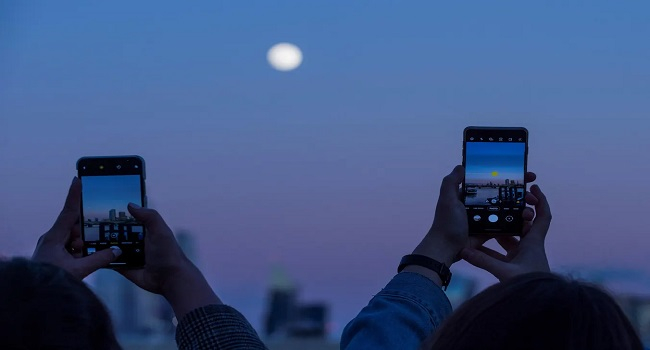
Smartphones can perform near miracles: perfect selfies, vivid landscapes, glowing cityscapes at night. But as soon as you point the camera at the Moon, that majestic orb with craters and seas turns into a bright white blotch or a tiny dot. Why is a device capable of capturing the tiniest facial details powerless before Earth’s natural satellite? Scientists writing for The Conversation explain this as a mix of physics, optics, and camera design. Let’s break it down.
The Moon Is Not a Nightlight — It’s a Sunlit Object
The first and most common mistake is thinking of the Moon as a dim object on a dark background. In fact, what we see is its sunlit surface, whose brightness is comparable to daylight. A smartphone automatically sets exposure based on the surrounding scene: the dark sky makes the camera increase exposure time and ISO to bring out details. As a result, the Moon—being a bright source—gets overexposed and turns into a white disk without texture.
The solution is simple: photograph the Moon during the day when it’s visible in the blue sky. The camera will treat it as an ordinary bright object and choose a shorter exposure time. Alternatively, reduce exposure manually in professional mode (if your smartphone supports it). This helps preserve shadows in craters and surface relief.
Optics and Scale: Why the Moon Looks So Small
Even with the correct exposure, the Moon still appears tiny in smartphone photos. The reason lies in the design of mobile cameras. Modern modules have a wide field of view (up to 90°) to capture landscapes and group shots. The main camera’s focal length is only about 4–6 mm (equivalent to 26–28 mm in full-frame terms).
The Moon occupies only about 0.5° of the sky—roughly the size of a coin viewed from two meters away. At that focal length, its image spans only about 25 pixels across the sensor, far too small to reveal craters or maria. Digital zoom merely enlarges those same pixels without adding detail, resulting in a blurry blob.
For comparison: the human eye also sees the Moon at a 0.5° angle, but with a resolution equivalent to millions of “pixels.” A smartphone, however, is limited by optical physics.
How to Photograph the Moon with a Smartphone
Scientists recommend a tried-and-true method: use a telescope. Point it at the Moon and place your smartphone at the eyepiece. The effective focal length then increases to hundreds of millimeters, magnifying the image many times over. Craters, mountains, and lunar seas become visible even on the phone screen.
For convenience, special adapters exist to hold a smartphone securely at the telescope’s eyepiece. This technique—called afocal photography—works with any telescope. The key is stability: use a tripod and a timer to avoid camera shake.
What the Future Holds
Manufacturers are already experimenting: periscope zooms (up to 10x optical) in flagship models such as the Samsung Galaxy S25 Ultra and Xiaomi 15 Pro bring the Moon closer, though still not on par with a telescope. Future smartphones with larger sensors and AI-powered image processing may improve results, but the physical limits of optics will always remain.
In Brief
Smartphones struggle to photograph the Moon because:
- They overexpose the bright lunar surface against a dark sky (solution: shoot during the day or lower exposure manually).
- Their short focal length and wide field of view make the Moon occupy only about 25 pixels.
- Digital zoom doesn’t add real detail.
The best method is to pair a telescope with a smartphone at the eyepiece—then lunar craters and seas will appear clearly even on a mobile screen.