make preferable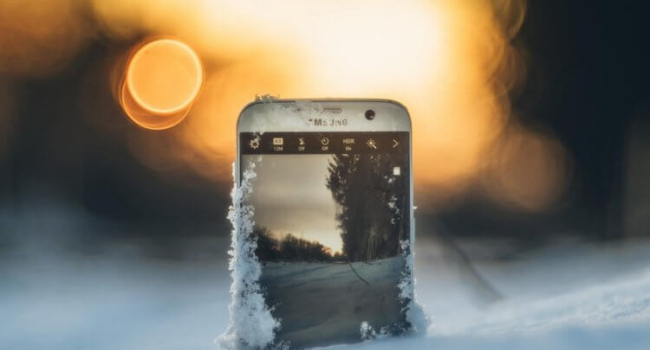
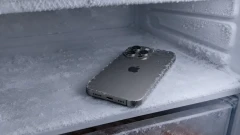
Extreme cold is just as dangerous for gadgets as heat. When the temperature drops below –10°C (14°F), a smartphone’s chemistry, electronics, and materials begin to malfunction. Repair specialist Mikhail Demidov outlined four key reasons why smartphones should be protected from freezing weather — or risk ending up in repair.
- The Battery Loses Capacity and “Dies”
Lithium-ion and lithium-polymer batteries perform poorly in the cold. Even at 0°C, chemical reactions slow down, reducing capacity by 20–40%. At –15°C and below:
- Current output drops sharply, which the device interprets as a critical discharge.
- The smartphone may shut down with 30–50% charge still remaining.
- After warming up, capacity returns temporarily, but wear accumulates, and the battery degrades faster.
Tip: Never charge a phone in freezing temperatures — lithium can crystallize, causing swelling or permanent damage.
- The Screen and Touch Sensor Lag or Distort
- Touch layer: Liquid crystals inside the touchscreen thicken in the cold, leading to delayed response, “phantom” touches, or total unresponsiveness.
- LCD displays (older models): Colors fade, and visual artifacts appear.
- OLED/AMOLED: These newer screens handle cold better, but at –20°C (–4°F), brightness drops and blacks turn gray.
Fact: Apple officially advises against using iPhones at temperatures below 0°C.
- Condensation — The “Silent Killer”
A sudden temperature change, such as moving from –15°C outdoors to a warm building, causes moisture to condense on internal components — the motherboard, ports, and under the screen. This can lead to:
- Short circuits.
- Corrosion of contacts.
- Oxidation of chips, especially in USB-C ports and speakers.
According to service data, about 30% of winter device failures are due to condensation damage, even though users claim they never dropped their phones in water.
- The Body Becomes Brittle
At low temperatures, plastic, rubber, and adhesive materials lose elasticity:
- Cases may crack.
- Glass screens can shatter from even light impacts.
- Adhesive layers between the screen’s components weaken, causing bubbles or separation.
2025 statistics: In January–February, repair centers reported 40% more broken screens — mostly from drops onto icy surfaces when phones were “frozen solid.”
How to Protect Your Smartphone in Winter
|
Action |
Effect |
|
Keep it in an inner pocket |
Body heat (~36°C) keeps it at an ideal temperature |
|
Avoid using it outdoors for more than 1–2 minutes |
Minimizes temperature shock |
|
Turn it off and place it in a bag before entering a warm room |
Allows gradual warming without condensation |
|
Use a thermal case |
Keeps internal temperature 5–7°C higher |
|
Do not charge immediately after coming indoors |
Wait until it reaches at least +15°C |
In Brief…
Cold damages smartphones in four ways:
- Batteries lose up to 40% capacity and degrade faster.
- Screens and touch sensors lag or distort.
- Condensation leads to corrosion and short circuits.
- The casing becomes brittle and cracks easily.
Survival guide: Keep your phone in an inner pocket, limit outdoor use, and let it warm up while turned off. Winter 2025 will prove it — those who protect their devices won’t pay for repairs.