make preferable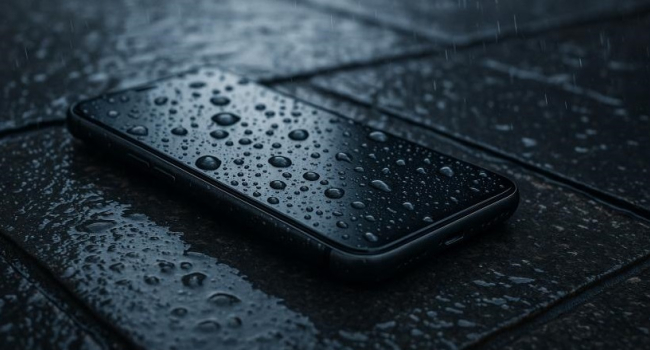
Modern smartphones advertised as water-resistant seem like reliable companions, capable of withstanding contact with water. However, as repair technician Mikhail Demidov explained in an interview with Gazeta.Ru, even such devices are not fully protected against moisture-related damage. Let’s look at why a water-resistant smartphone can still fail in the rain and how to prevent it.
Water Resistance: Not a Cure-All
Many smartphones in 2025 are certified with water- and dust-resistance ratings such as IP67 or IP68. These standards imply that a device can withstand submersion in water to a depth of 1–1.5 meters for up to 30 minutes or protection from splashes. However, Demidov warns: water resistance does not make a smartphone completely invulnerable.
“Even if a smartphone is marketed as waterproof, in practice this does not always mean complete safety. Over time, sealing can weaken, especially if the device has been dropped or repaired,” the expert explains.
The main reason is the wear of seals. The device’s watertightness is ensured by rubber gaskets at joints, connectors, and buttons. Over time, these materials lose their properties due to:
- Mechanical damage: drops or impacts can compromise the seals.
- Repairs: opening the case to replace the battery or other components can reduce water resistance.
- Natural wear: rubber loses elasticity over time, especially with frequent exposure to water or temperature changes.
The Risk of Rain and Spilled Drinks
Many people believe that a water-resistant smartphone will easily survive a walk in the rain or an accidental spill of a drink. However, Demidov emphasizes that even these situations can be dangerous. Moisture can get inside through:
- Microcracks in the body that are invisible to the eye.
- Connectors (such as USB-C or audio jacks) if they lack protective plugs.
- Buttons or speakers where the seals have worn down.
Heavy rain, especially with wind, or spilled coffee can create enough pressure for liquid to penetrate the device. This can cause corrosion of internal components, short circuits, or complete failure.
How to Protect Your Smartphone
To minimize the risk of damaging a water-resistant smartphone, the expert recommends:
- Use a waterproof case: they provide an extra layer of protection, especially when swimming or during outdoor activities.
- Install plugs for ports: these shield USB ports and audio jacks from water, dust, and sand.
- Avoid unnecessary contact with water: even if your smartphone is IP68-certified, do not deliberately submerge it or expose it to heavy rain.
- Check the device after damage or repairs: after a drop or servicing, ask a technician whether the body’s sealing is still intact.
What to Do If Your Smartphone Gets Wet
If your smartphone does get wet:
- Turn it off (if still on) and remove the case.
- Remove moisture: wipe the body with a dry cloth and take out the SIM card.
- Dry it: place the smartphone in a bag of rice or silica gel for 24–48 hours to absorb residual moisture.
- Visit a service center: if the device won’t turn on or works incorrectly, do not attempt to charge it — that could worsen the damage.
In Brief
Water resistance is a useful feature but not an absolute guarantee of safety. According to Mikhail Demidov, a device’s sealing deteriorates over time, especially after drops or repairs. Rain, spilled drinks, or accidental immersion can damage even an IP68-certified smartphone. To extend your device’s lifespan, use protective cases and port covers, and avoid unnecessary contact with water. Careful handling can help prevent costly repairs.