make preferable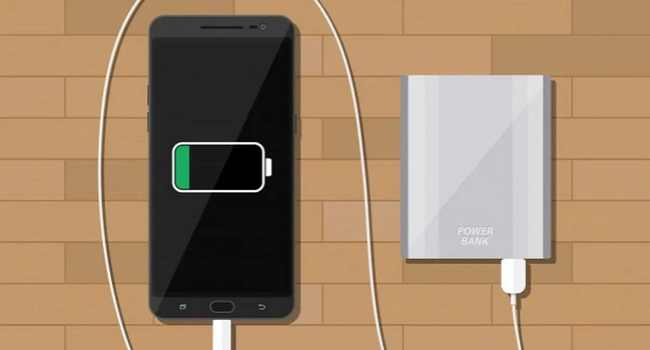
Slow smartphone charging is a common problem that can be frustrating, especially when the device doesn’t fully recharge overnight. The reasons can be related to both software glitches and hardware issues. Here are the eight most common causes of slow charging on Android and iPhone, along with recommendations on how to fix them.
- Software Update
A recent firmware update can slow down charging, especially on Android devices, where regular security or performance updates sometimes contain bugs. These glitches can affect battery management.
What to do:
- Try rolling back the update through settings or reinstall it.
- If the issue persists, perform a factory reset (back up your data first).
- Keep in mind: if the battery is worn out, software fixes won’t help.
- Poor-Quality Accessories
A worn-out or low-quality charging cable is a frequent cause of slow charging. Damaged wires (for example, from bending) lose conductivity, reducing charging speed and potentially harming the smartphone.
What to do:
- Replace the cable with an original or certified one that supports fast charging (if your device is compatible).
- Avoid cheap knockoffs, as they may damage your phone.
- Using the Smartphone While Charging
Actively using your phone while charging (browsing, gaming, etc.) increases strain on the battery and charging port, accelerating wear. This slows down charging and could lead to costly repairs.
What to do:
- Don’t use your smartphone while it’s charging.
- Enable Airplane Mode to disable background processes and speed up charging.
- Low-Power Source
Charging from a computer USB port or a weak power bank doesn’t provide enough power, especially if your phone supports fast charging. An incompatible adapter also reduces speed.
What to do:
- Use the original power adapter and plug the phone into a wall outlet.
- Make sure the adapter is certified by the manufacturer and matches the power needed for fast charging.
- Faulty Charging Port
A loose or damaged USB-C port can cause unstable charging due to poor contact or current leakage. This is especially true for reversible connectors, which can break under physical stress.
What to do:
- Inspect the port visually. If it’s damaged, visit a service center.
- Do not attempt to repair the port yourself without experience — you could make it worse.
- Damaged Battery
Battery degradation can show as swelling (the back cover or screen lifting), overheating while charging, or rapid draining after a full charge. These are typical signs of battery wear.
What to do:
- If the battery is degraded, replace it at an authorized service center.
- Keep in mind: replacing a battery in modern smartphones can be costly, and sometimes buying a new device is more economical.
- Background Apps
Some apps consume energy even in the background, making it seem like the phone is charging slowly, since the battery is discharging at the same time. Smartphones often notify users about such “power-hungry” apps.
What to do:
- Check battery usage statistics in settings and remove apps that drain power excessively.
- Enable Airplane Mode during charging to minimize background activity.
- Outdated Smartphone
Older smartphones (5+ years) often don’t support fast charging, and their batteries wear out, reducing charging speed. For example, early Samsung Galaxy models physically cannot charge quickly.
What to do:
- If your phone is outdated, consider buying a new one with fast charging support and a larger battery.
- Check if your current device supports modern charging standards to rule out other causes.
Important Recommendations
- Don’t repair it yourself: If the problem is hardware-related, visit a service center. DIY repairs may void your warranty.
- Preserve your warranty: Don’t open the phone if it’s still under warranty.
- Consider replacement: If repair costs are too high or the device is outdated, a new smartphone with modern battery and charging technology might be a better choice.
In Short
Slow charging can be caused by software glitches (updates, background apps), poor-quality accessories, a faulty port or battery, or simply an aging device. Simple steps like replacing the cable, enabling Airplane Mode, or resetting settings often solve the problem. However, for hardware issues, it’s best to go to a service center. For older models, buying a new smartphone may be the most reasonable solution. By following these tips, you can restore normal charging speed or make an informed decision about replacing your device.