make preferable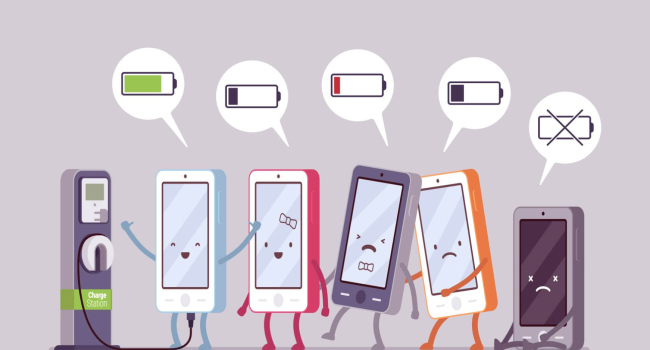
Over time, any smartphone loses battery life due to natural wear and tear. While this process cannot be completely stopped, proper charging can significantly slow battery degradation. Modern devices are equipped with protection systems, but that does not mean charging rules are irrelevant. Here’s how to charge your smartphone to extend battery life — and debunk some common myths.
Factors Affecting Battery Wear
- Charge–discharge cycles: Smartphone batteries are designed for a certain number of cycles (usually 300–500), after which their capacity begins to decline. One cycle is a full charge from 0 to 100% followed by a complete discharge. However, this does not mean you should always drain the phone to zero or charge it to 100%. Details below.
- Temperature: The optimal temperature range for a battery is 20–25°C. At 25–40°C, capacity may drop by 4–15% per year, and constant charging to 100% at high temperatures can reduce capacity to 65% of its original value. Low temperatures also accelerate wear.
- Chargers: Using non-original adapters is not always harmful, but their quality is harder to guarantee. Poor-quality accessories can cause overheating, speeding up battery degradation. Manufacturers often refuse warranty service if third-party chargers were used.
How to Properly Charge a Smartphone
To maximize battery life, follow these guidelines:
- Keep charge between 20–85%: Start charging when the battery drops to 20–30% and unplug at 80–85%. Some smartphones, such as Samsung models, have built-in features that automatically stop charging at 85%. You can disable this for long trips, but avoid doing so regularly.
- Avoid heavy use while charging: Playing games or running resource-intensive apps during charging can cause overheating, which accelerates battery wear. The exception is smartphones with bypass charging technology, which minimizes heat by powering the device directly from the outlet.
- Monitor temperature: Do not leave your phone in direct sunlight or a hot room while charging. If the device heats up, let it cool before continuing.
Charging a New Smartphone
There are no special charging rules for a new phone, but a few points are worth noting:
- Full charge before first use: Setting up the operating system, installing updates, and downloading apps require a lot of energy. Charge a new smartphone to 100% to avoid it running out of power during setup.
- No need for calibration: The idea that you must fully discharge to 0% to "calibrate" the battery is outdated. Modern lithium-ion batteries do not require this, and doing so may actually harm them.
Debunking Charging Myths
- Fast charging damages the battery: Modern fast-charging technologies are safe thanks to built-in protection systems. They are optimized to minimize impact on the battery. If you are still concerned, you can disable fast charging in the settings. However, non-original adapters and cables can cause overheating, so always use high-quality accessories.
- Charging overnight is dangerous: Most smartphones automatically stop charging at 85–100%, but staying plugged in constantly is not ideal. Even in standby mode, the phone consumes some power, which can cause charging to restart multiple times overnight, slightly increasing wear. Power surges can also damage the device.
Conclusion
Proper smartphone charging is key to extending battery lifespan. Keep charge levels between 20–85%, avoid overheating, and use quality chargers. New smartphones do not need special procedures, but charging to 100% the first time makes setup easier. Fast charging and overnight charging are not as harmful as they seem if you follow basic precautions. By following these simple rules, you can preserve your device’s battery life for years.