make preferable
Today, there are many cases when criminals steal a user's iPhone and use various methods to gain complete control over it, completely depriving the owners of the phone of access to their account. What methods do criminals use and how can you avoid becoming their victim?
After stealing the phone, criminals change the recovery key, after which it becomes almost impossible for the user to access all the data on the phone: photos, messages, etc. After that, the criminals are even able to gain access to the victim's financial applications and steal the money from their bank accounts.
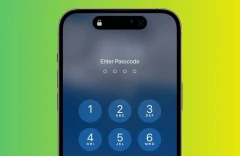
Having this kind of control isn't easy for criminals: this requires them to actually know the password, and they can do this by, for example, secretly watching the user enter the passcode at a bar or at an event, or by somehow manipulating them into giving them the passcode before they steal it.
After knowing the passcode and stealing the phone, an attacker can use the passcode to change the device's Apple ID, then turn off Find my iPhone function so its location can't be tracked, then change the recovery key, which is a complex 28-digit code designed to protect phone owners from hacking.
Apple requires this key to help restore access to an Apple ID to strengthen user security, but if an attacker changes it, the phone's original owner won't have the new code and can no longer access their account.
On its website, Apple warns, “you’re responsible for maintaining access to your trusted devices and your recovery key. If you lose both of these items, you could be locked out of your account permanently.”
However, there are a few steps users can take to protect themselves and avoid such a scenario.
Protect the passcode
The first step is password protection. Apple recommends using Face ID or Touch ID functions to unlock the phone screen. This will help avoid the risk that someone in a public place can secretly watch you enter your passcode.
An alternative to not using these features is to have a complex passcode consisting of letters, numbers, and symbols, as it would be quite difficult for criminals to remember it. In addition, if you suspect that someone has seen your passcode, you should change it immediately.
Screen Time settings
iPhones have a Screen Time setting that parents especially use to limit children's use of the phone by using a secondary password. If it is enabled, the user of the device, in this case the attacker, will be required to enter this password as well before they can successfully change the Apple ID.
This feature can be activated by visiting Settings > Screen Time, then enable Screen Time, then tap Downtime.
Back up phone regularly
Finally, you can protect yourself from criminals by regularly using the Back up function via iCloud or iTunes so that data can be restored in the event of an iPhone theft. You can also save important photos or other important files and data to another cloud service, such as Google Photos, Microsoft OneDrive, Amazon Photos, or Dropbox. This won’t stop a bad actor from gaining access to the device, but it should limit some of the fallout if it ever should happen.