make preferable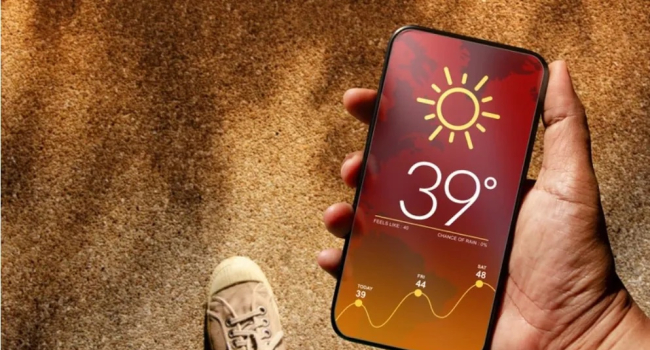
Summer heat can be challenging not just for us but also for our gadgets. Smartphones, tablets, and laptops are highly sensitive to high temperatures. Improper use in hot weather can lead to overheating, reduced battery life, and even hardware failure. Tech blogger Pavel Trukhachyov and expert Ilya Korneichuk share their advice on how to protect your devices during the summer.
Why Is Overheating Dangerous?
High temperatures accelerate the wear and tear of lithium-ion batteries and damage internal components:
- Battery: Over 40°C (104°F), battery capacity degrades faster, shortening its lifespan (typically 2–3 years).
- Display: Can detach or suffer from issues like spots or flickering.
- Processor and chips: Overheating leads to thermal throttling or even hardware failure.
- Fire risk: While Korneichuk says this is rare, extreme heat (above 60°C/140°F) could potentially damage the battery.
Trukhachyov warns that direct sunlight and reflections from water drastically increase device heat — especially harmful for screens and batteries.
How to Protect Your Devices in the Heat
Follow these expert tips to keep your gadgets safe:
1. Avoid Direct Sunlight
- Never leave gadgets in the sun: A phone or laptop on a car dashboard can hit 70°C (158°F) in minutes. “This can lead to battery explosions or permanent damage,” says Trukhachyov.
- Keep them shaded: Carry your phone in a bag or pocket, or use a heat-insulated case. Use laptop bags with cooling liners if possible.
2. Don't Use Devices Near Water
- Water reflects sunlight, intensifying heat on the screen. “Reading by the pool on a float is a bad idea — the screen can peel off,” warns Trukhachyov.
- Even waterproof (IP68) devices shouldn’t be exposed to prolonged sun. Dry your device after water exposure to prevent port corrosion.
3. Reduce Workload During Heat
- Avoid heavy tasks: Gaming, 4K video playback, or streaming increase CPU load and temperature. In hot weather, this wears components out faster.
- Enable power-saving mode: Go to Settings → Battery to reduce brightness and background activity.
- Let it rest: If your phone gets hot, turn it off for 10–15 minutes and place it in a cool (not cold!) spot.
4. Monitor Temperature
- Ideal range: 15–35°C (59–95°F) during use; up to 45°C (113°F) temporarily.
- Overheating signs: Hot to the touch, warning notifications, lagging performance.
- What to do: Move it to shade, remove the case for better cooling, disable Wi-Fi/Bluetooth temporarily.
5. Use the Right Accessories
- Cases: Use silicone or fabric cases — avoid leather or metal, which trap heat.
- Charging: Don’t charge devices in the sun or while gaming. Use original chargers to prevent voltage spikes.
- Cooling tools: Use laptop stands with fans, or passive gaming coolers for phones.
6. Protect the Battery
- Keep charge between 20–80%: Avoid full 100% charging in heat to reduce battery stress.
- Smart charging: Enable optimized charging features (available on iPhone, Samsung, etc.) to limit charge to 80% overnight.
- Storage: If not in use, store your gadget at 50% charge in a cool, dry place.
What to Do If Your Device Overheats
- Turn it off: Or use airplane mode if shutdown isn't possible.
- Move it to the shade: Place on a cool surface — never in the fridge or in water (condensation risk!).
- Remove the case: Helps with heat dissipation.
- Let it cool: Wait 15–30 minutes before turning it back on.
- Contact service: If issues persist (rapid battery drain, shutdowns), have the battery checked.