make preferable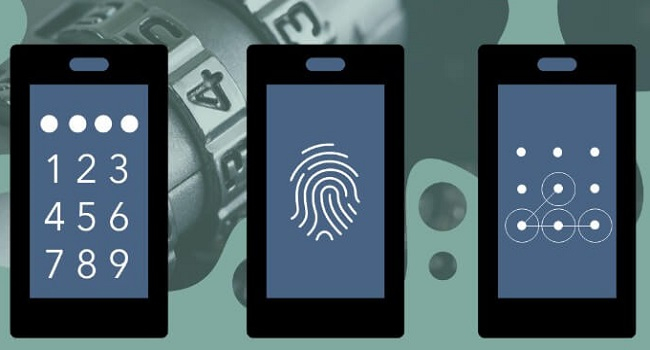
In an era when smartphones store bank cards, messages, photos, and work documents, data protection has become a top priority. But which unlocking method — biometrics or the classic PIN code — offers the best balance of security and convenience? Here is a breakdown based on technical features and real-world risks.
Fingerprint Scanners: Convenient, With Caveats
Most modern smartphones, even budget models, include a fingerprint scanner. The technology has evolved for decades, and today there are three main types.
Capacitive scanners, usually placed in the power button or on the back, use arrays of tiny capacitors that detect the electrical properties of the skin. The more sensors they contain, the faster and more accurate the recognition.
Optical scanners, built into the display, work like a monochrome camera: the screen lights up the touch area, and the sensor captures and compares the ridge patterns.
Ultrasonic scanners are the most advanced. They use sound waves to create a 3D map of the fingerprint and can ignore dirt, moisture, or even small cuts. These sensors appear in top-tier Samsung and Google Pixel models.
All three types are reliable for everyday use, but biometrics have a critical weakness: fingerprints can be “stolen.” Someone could forcefully take your finger in a dangerous situation, or use it while you are asleep. More sophisticated attacks also exist — such as 3D-printing a fingerprint from a photograph or using gelatin replicas. These scenarios are rare but possible. That is why it is unwise to rely on fingerprint unlocking alone; it works best combined with a PIN.
Face Recognition: From Selfie Cameras to 3D Mapping
Most Android phones rely on the front-facing camera for face unlock, which makes them easy to fool with a photo or video. In some cases, even a simple paper mask works.
The main exception is Apple’s Face ID. It uses an infrared camera, a dot projector that casts 30,000 IR points, and a depth sensor to create a detailed 3D map of the face. Apple states that the chance of a random match is one in a million.
True 3D face recognition is uncommon on Android devices. The Honor Magic7 Pro, for example, uses a Time-of-Flight sensor to measure depth, but the system is still simpler than Face ID. It is harder to trick than a basic camera, but easier than Apple’s implementation.
PIN Codes and Passwords: Old School, But Logically Superior
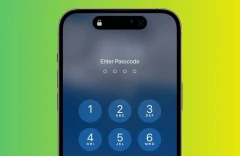
A numeric PIN or pattern lock remains the most secure method overall. Unlike biometrics, a PIN “belongs” only to you — it cannot be applied without your awareness. Guessing a strong combination (not 1234) is virtually impossible in everyday conditions.
The drawbacks are familiar: someone can look over your shoulder, you can forget the code, or entering it may be slower than using biometrics. But in high-risk situations — physical coercion or theft — the PIN gives you control: access remains blocked unless you willingly provide it.
How to Choose the Best Method
No system is perfect, but you can tailor your approach to your risks:
- Worried about losing your phone or having it stolen?
Use biometrics — fingerprint or face unlock. They’re instant, and if the device goes missing, data protection (encryption, remote lock) activates automatically. - Concerned about being forced to unlock your phone?
Use a PIN. A fingerprint or facial scan can be taken by force; a code cannot. - Work in crowded or public places?
Biometrics are safer — no one can “shoulder surf” your fingerprint or face.
Recommendation: Two-Factor Device Protection
The best solution is a combination. Set up biometrics + PIN: convenient for daily use, but if the system detects suspicious activity (like multiple failed attempts), it will require the code. This behavior is default on iPhones and premium Android phones.
Additional tips:
- Turn on automatic locking after 30 seconds.
- Use a long alphanumeric password for the most sensitive apps (banking, email).
- Keep your software updated — manufacturers patch vulnerabilities regularly.
In Short
- Fingerprints are convenient but vulnerable to coercion and potential spoofing.
- Face recognition is fast, but only Face ID and a few 3D systems are truly secure.
- PIN codes are the most secure in principle, but slower and easier to observe.
- Ideal setup: biometrics for everyday use + a strong PIN as backup. Two-factor unlocking is the gold standard for smartphone security.