make preferable
Knowing your smartphone’s model is useful not only when buying a case or accessories, but also for solving technical issues, checking compatibility, or purchasing a used device. Often, the exact name of the gadget is forgotten months after purchase, especially if it was chosen on impulse. Here’s how you can quickly and easily determine your phone model on Android and iPhone — even if the device doesn’t turn on.
Through phone settings
For Android
The easiest way to find your smartphone’s model is via the settings:
- Open the Settings
- Scroll down and find About phone (the name may vary depending on the brand).
- Look for Model number — this is usually an alphanumeric code, for example, SM-G781B for the Samsung Galaxy S20 FE.
- Enter this code into a search engine (Google, Bing, Yandex) to get the exact model name.
Important: Ignore the Device name field, as it can be changed by the user and may not reflect the actual model.
This method works for most Android smartphones, including Samsung, Xiaomi, Redmi, HUAWEI, Honor, and other brands.
For iPhone
On iPhone, the process is even simpler:
- Open Settings.
- Go to General → About.
- Find the Model number Initially, you’ll see a longer code, such as MPXT3LL/A. Tap on it to view the shorter part number, for example, A2651.
- Enter either of these codes into a search engine to identify the exact model, such as iPhone 14 Pro Max.
Using IMEI if no model number is shown
In rare cases, model information may not appear in settings. In that case, IMEI — the device’s unique identifier — can help:
- Find the IMEI in About phone, or dial *#06# in the Phone app. The IMEI will appear on the screen.
- Go to info.
- Enter the IMEI into the field and click Check IMEI.
- Among the details, you’ll see the exact phone model.
If the phone won’t turn on
If your smartphone is dead or not working, there are alternative methods:
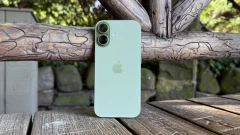
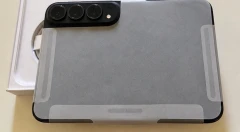
- Back panel: Many manufacturers print the model or part number on the back cover. Enter it into a search engine to find the exact name.
- Box: The original packaging always shows the model, specifications, and sometimes even the device’s color.
- USB-C/Lightning port (for iPhone): On iPhones, the part number is often engraved above the port and can be checked via search.
Why knowing your phone model matters
There are several reasons to know your smartphone’s model:
- Buying accessories: Cases, screen protectors, and other accessories are made for specific models.
- Buying in-store or second-hand: Checking the model ensures you’re getting the correct device. Some smartphones made for other regions may not support local network frequencies or could have different specifications.
- Diagnostics and repair: The exact model is necessary for finding instructions, firmware, or replacement parts.
When buying second-hand, always check:
- That the IMEI in settings matches the one on the device and box.
- That the serial number on the box matches the one in settings — this helps avoid counterfeits.
In summary
Finding out your smartphone model is simple: check settings (About phone for Android, or About under General for iPhone), use IMEI via imei.info, or look for the part number on the body or box. These methods will help you identify the model even if the phone isn’t working. Knowing the model not only makes buying accessories easier but also protects you when purchasing second-hand, ensuring you get the exact device you expect.