make preferable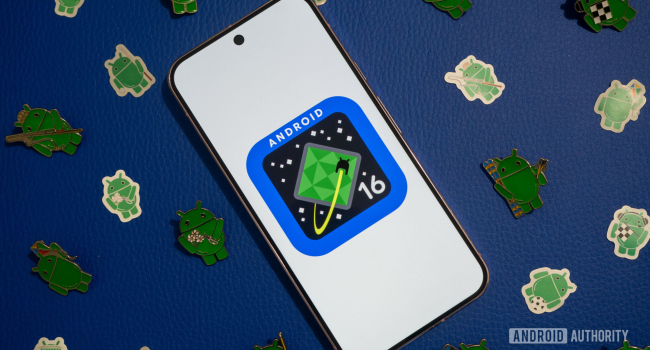
Android 16, released on June 3, 2025, under the codename “Baklava,” brings a host of improvements that make the system more convenient, secure, and visually appealing. The 4PDA portal highlighted five of the most important new features worth the attention of both users and developers. Here's a closer look at each one.
- Live Updates: Real-Time Notifications
Android 16 introduces Live Updates — a real-time notification system similar to Live Activities in iOS. This feature allows you to track important events without opening apps, such as:
- Food delivery progress (Zomato, Swiggy),
- Taxi rides (Uber, Yandex Go),
- Sports scores or timers.
Key highlights:
- Notifications appear in the notification shade, on the lock screen, and on the Always-On Display.
- Support for interactive elements: buttons for calling, tipping, or controlling activity.
- A universal OS-level standard that simplifies adoption by third-party developers.
Previously, similar features were seen in manufacturer skins like One UI or MIUI, but now Google offers a unified solution to encourage broader usage.
Ideal for: Users who want real-time information at a glance, and developers aiming to enhance client interaction.
- Material 3 Expressive: A New Design Level
Android 16 enhances the UI with Material 3 Expressive, continuing the evolution of Material Design. It's not a complete redesign but an upgrade to the visual and tactile experience:
- Animations: Smooth, springy transitions that respond to user interactions.
- Fonts and buttons: Larger, more expressive UI elements for better accessibility.
- Haptics: Improved vibration feedback during interactions.
- Visual effects: Background blur and depth in menus, inspired by iOS 18.
Note: Material 3 Expressive is not available in the initial release of Android 16 and will arrive later in a Quarterly Platform Release (QPR), likely alongside the launch of Pixel 10.
Ideal for: Users who value visual aesthetics and smooth interface experiences, especially on flagship devices.
- Ultra HDR for HEIC: Better Photos
Android 16 removes previous limitations by adding Ultra HDR support for the HEIC format. HEIC, known for its compact size and high quality, now retains more detail in highlights and shadows:
- Compatible with SDR displays for proper rendering.
- Smaller file sizes than JPEG with preserved quality.
- Compliance with ISO 21496-1 for accurate HDR processing.
Example: High dynamic range shots (like sunsets) will appear brighter and more detailed, while using less storage.
Ideal for: Amateur photographers and users who frequently use their phone cameras.
- Redesigned Quick Settings Panel
The Quick Settings panel in Android 16 has been significantly revamped, becoming more user-friendly and customizable:
- Resizable Tiles: Adjust tile sizes (like in iOS), e.g., expand the Wi-Fi tile to show available networks.
- One-Click Toggles: Instantly toggle Wi-Fi or Bluetooth with one tap.
- Compact Layout: Smaller tiles allow more functions to fit on screen.
- Visual Effects: Blurred background adds depth when the panel is expanded.
- Optimization: Multi-column layouts for tablets and foldables.
Example: Users can personalize the panel with larger tiles for frequently used features like brightness or airplane mode.
Ideal for: Those who want fast access to settings and a tailored interface.
- Advanced Protection: Centralized Security Hub
Android 16 introduces an Advanced Protection module, consolidating key security features into one settings section:
- Theft Protection: Improved AI-powered theft detection.
- Offline Lock: Remotely lock your device, even without an internet connection.
- Inactivity Reboot: Automatic reboot after 72 hours of inactivity to re-encrypt data.
- USB Protection: Block suspicious USB connections.
- Intrusion Logging: Encrypted activity logs for post-breach analysis.
Previously, these features were scattered across settings (e.g., Phone app, Google Play), but now they're easily accessible in one interface.
Ideal for: Security-conscious users, especially those traveling or in high-theft areas.
Additional Context
- Release: Android 16 officially launched on June 3, 2025, though some features (Material 3 Expressive, redesigned Quick Settings) will arrive in later QPR updates in 2025.
- Compatibility: Supported on devices starting from Pixel 6, as well as flagship models from Samsung, OnePlus, Xiaomi, and others.
- Beta Testing: Public betas (from Beta 1 to Beta 4) confirmed the stability of features, though some users on X (formerly Twitter) noted “minor bugs” in animations.
Conclusion
Android 16 focuses on personalization, security, and enhancing the user experience. Live Updates streamline real-time information, Material 3 Expressive adds visual sophistication, Ultra HDR for HEIC delights mobile photographers, Quick Settings become more practical, and Advanced Protection boosts data security. While some features will roll out later, Android 16 already sets a high standard for 2025.
Tip: Update your compatible device (Settings → System → System update) to try out these features firsthand.