make preferable
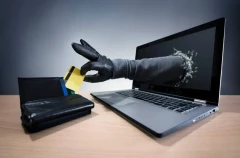
Email hacking is a serious cyber threat that can lead to identity theft, financial loss, and the spread of malware. If you suspect that your email has been hacked, immediate action is crucial to minimize the damage. Follow these steps to secure your account and prevent further unauthorized access.
1. Confirm the Hack
Before taking action, check for signs that your email has been compromised:
- You cannot log in, even with the correct password.
- Your contacts receive strange emails from you that you didn't send.
- You notice unfamiliar login attempts (most email providers allow you to check recent activity).
- Your email settings have changed (e.g., unknown forwarding addresses, deleted emails, or an unfamiliar recovery email).
2. Change Your Password Immediately
- If you still have access to your email, change your password right away.
- Use a strong, unique password with a mix of uppercase and lowercase letters, numbers, and special characters.
- Do not reuse old passwords or ones that you use for other accounts.
If you're locked out, proceed to the account recovery process.
3. Use Account Recovery Options
Most email providers have a recovery process if you're locked out:
- Click on "Forgot Password" and follow the steps.
- Use your backup email or phone number to receive a verification code.
- If your recovery options have been changed, contact the email provider’s support team.
4. Enable Two-Factor Authentication (2FA)
- Two-factor authentication (2FA) adds an extra layer of security by requiring a second verification step, like a text message code or an authentication app.
- Activate 2FA in your email security settings.
- Avoid using SMS if possible—authentication apps (e.g., Google Authenticator or Microsoft Authenticator) are safer.
5. Check and Revert Any Unauthorized Changes
Hackers may modify your email settings to maintain control or steal information. Check and restore:
- Forwarding rules – Delete any unknown forwarding addresses.
- Recovery email and phone number – Remove any unknown ones.
- Filters and auto-replies – Hackers may create filters to hide responses to suspicious emails they send from your account.
6. Scan Your Device for Malware
Hackers may have stolen your password through malware. Do the following:
- Run a full scan using reputable antivirus software.
- Remove any detected threats.
- Update your operating system and all software.
7. Notify Your Contacts
If hackers have used your email to send phishing emails, warn your contacts not to open suspicious links or provide any personal information.
8. Check for Stolen Accounts and Identity Theft
If you use the same email for other online accounts (banking, shopping, social media, etc.), hackers may attempt to access them.
- Check for unauthorized logins on other accounts.
- Use a service like Have I Been Pwned (https://haveibeenpwned.com/) to see if your credentials have been leaked.
- Change passwords for important accounts linked to the hacked email.
9. Report the Hack
Report the incident to your email provider (Gmail, Yahoo, Outlook, etc.). If the hack involved financial fraud or identity theft, consider reporting it to:
- Local authorities or cybercrime units.
- Your bank if financial information was compromised.
10. Improve Your Future Email Security
- Use unique, complex passwords for every account.
- Enable two-factor authentication on all accounts.
- Be cautious of phishing emails—avoid clicking suspicious links or downloading unknown attachments.
- Regularly update your security settings and software.
Conclusion
A hacked email can be stressful, but taking the right steps quickly can minimize damage and prevent further breaches. Strengthening your email security now can help protect your personal and financial information from future attacks.