


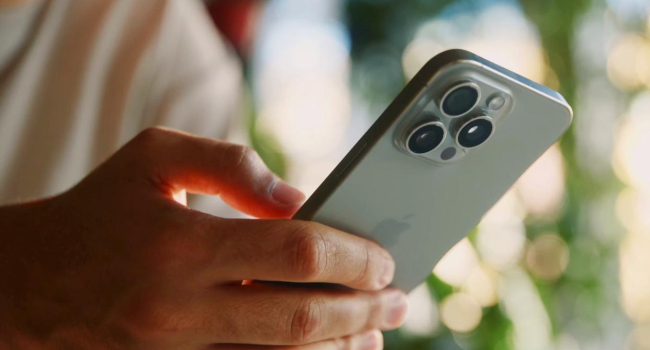
How to disable "spying" features on your iPhone
The authors of the Telegram channel “Not a Bug, but a Feature” shared detailed tips on how to reduce background data collection on iPhones — even when the screen is off. Despite Apple's strong privacy reputation, some iPhone functions can still collect and transmit data silently. Here’s how to manually turn off the main tracking mechanisms through your device settings.
Step-by-Step Privacy Enhancements
- Limit Microphone Access
Go to:
Settings → Privacy & Security → Microphone
Disable microphone access for any apps that don’t explicitly need it. This helps prevent unauthorized or passive audio recording in the background. - Turn Off App Tracking
Navigate to:
Settings → Privacy & Security → Tracking
Disable permission for all apps that request to track your activity. This helps reduce the amount of data collected for targeted advertising. - Strengthen Safari Tracking Protection
Open:
Settings → Safari and enable the following:
- Prevent Cross-Site Tracking — stops trackers from following you across different websites.
- Hide IP Address — select From Trackers and Websites to make device identification harder.
Important Limitations
While these steps significantly enhance privacy, they do not eliminate data collection entirely. Some apps, and even Apple’s system services, may still send analytical data or use background processes for personalization or product improvement — even if you’ve restricted third-party app access.
Additional Expert Advice
- Keep iOS Updated — regular updates patch known security vulnerabilities.
- Review App Permissions — regularly check Settings → Privacy & Security, and restrict access to:
- Location Services
- Camera
- Contacts
- Use a VPN — encrypts internet traffic and protects your personal data, especially when using public Wi-Fi networks.
These privacy settings won’t make your iPhone invisible, but they can significantly reduce background surveillance and help you regain more control over your data.
- Related News
- Top flagships of August 2026: Experts name the five best smartphones
- A simple way to spend less time on your phone: Choosing your own goals?
- Foldable iPhone appeals to almost no one: Three-quarters of Americans don't want one
- The anniversary iPhone 20 will be as thin as the Air: what the insider revealed
- Apple prepares to raise iPhone prices following Samsung and Google
- What you must do before disposing of or selling your smartphone: useful tips
- Tech Jobs
- Most read
month
week
day
- Top tablets of August 2026: Experts name the best five 1393
- Top flagships of August 2026: Experts name the five best smartphones 1127
- From Excel to AI: A startup by specialists who relocated from Iran to Armenia helps businesses make sense of their data 1025
- The anniversary iPhone 20 will be as thin as the Air: what the insider revealed 795
- Why Bill Gates is no longer an AI optimist: Three major threats of AI 742
- 10,000 tiny probes to Saturn's rings and robots in lunar caves: NASA funds 18 visionary ideas 664
- 50,000 subscriptions and AI for schools: How Armenia plans to use artificial intelligence in education 653
- Robot knocks out teeth of five year old girl: Incident at Chinese museum leads to lengthy compensation dispute 641
- Apple prepares to raise iPhone prices following Samsung and Google 630
- 20 years without planet status: Will Pluto get its title back? 576
- Archive