


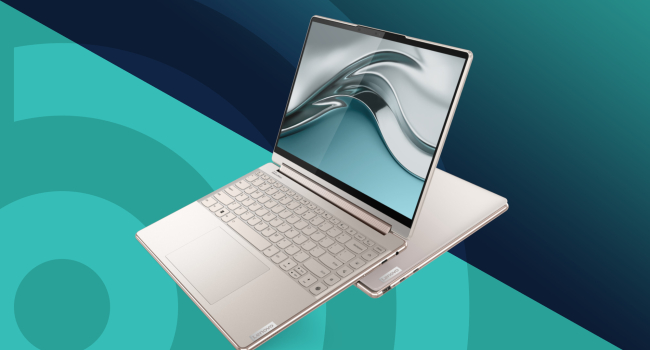
How to choose an ultrabook in 2026: Key points to consider
An ultrabook isn’t just a thin laptop—it’s a device you carry everywhere: to the office, on trips, to cafés, or even on a plane. It needs to be lightweight, energy-efficient, and powerful enough for work, yet it is almost never upgradable. That’s why choosing it carefully—“as is” and for several years ahead—is essential.
What an ultrabook is today
The term “ultrabook” emerged with the MacBook Air: a thin, light, and stylish laptop. Since then, the definition has blurred slightly, but the classic traits remain:
- Weight under 1.5 kg
- Thickness up to 18–20 mm (often less)
- Energy-efficient processors with low TDP
- No discrete graphics, optical drive, or hard disk
- Excellent battery life (8–10 hours or more)
- Premium materials—aluminum, magnesium alloy, reinforced glass
Modern ultrabooks are no longer “minimal laptops.” Many models with Intel Core Ultra, AMD Ryzen AI, or Apple M-series chips can handle 4K video editing, light graphics work, and multitasking. However, they are still not intended for gaming or heavy rendering.
Screen size: the main compromise
Smaller screens make the ultrabook lighter and more compact, but can limit productivity. The most popular and practical choice is 13–14 inches with Full HD or 2.8K resolution.
Recommended panel types are IPS or OLED. TN panels are found only in budget models and fall short in color accuracy and viewing angles. For graphic design, photo editing, or video work, OLED is the better choice. For example, the ASUS Vivobook S 14 with a 14-inch OLED panel (130% sRGB) is a compact option ideal for designers.
Touchscreens are optional—they can be useful for notes or drawing but add cost and are rarely needed for standard work.
Memory: choose with headroom
Ultrabooks almost never allow adding RAM or replacing storage. It’s best to start with at least 16 GB of RAM and a 512 GB SSD. In 2026, this is considered the baseline for smooth performance.
- 8 GB: suitable only for web browsing and documents
- 16 GB: the sweet spot
- 32 GB: for video editing, virtual machines, or many heavy Chrome tabs at once
Processor: match it to your tasks
Your choice depends on what you plan to do:
- Office, web browsing, 4K video: Intel Core i3 / Ryzen 3 or Intel Core Ultra 5 / Ryzen AI 5
- Editing, light graphics, programming: Intel Core i5–i7 / Ryzen 5–7 or Apple M2/M3/M4
- Heavy editing, 3D, machine learning: Apple M4 Pro/Max or top-tier Intel Core Ultra 9 / Ryzen AI 9
Examples:
- Lenovo IdeaPad Slim 5 Gen 10 with Intel Core 7 240H—a powerful and affordable option for graphic work
- MacBook Air 13 on M4—benchmark for battery life (up to 18 hours) and silent operation (passive cooling)
Battery life: the key advantage
Mobility is why people buy ultrabooks, so battery life should be at least 10 hours of real-world use. Some of the best performers:
- Apple MacBook Air M4: up to 18 hours
- HONOR MagicBook 14: about 11 hours
- ASUS ZenBook 14 OLED: 12–14 hours in mixed usage
Avoid models with batteries under 60–70 Wh—they are already a compromise.
Keyboard, touchpad, and ports
Most ultrabooks lack a numeric keypad. If you work with numbers frequently, look for models with a numpad integrated into the touchpad (some ASUS ZenBooks have this).
The touchpad should be large and glass-covered for comfortable use.
Ports: at minimum, look for 2×Thunderbolt 4 / USB4 + HDMI + 3.5 mm. If wired internet is required, some models include a LAN port (rare but available).
In brief
An ultrabook is the perfect companion for mobile work—provided you don’t need heavy graphics or gaming. Look for a 13–14-inch IPS/OLED 120 Hz screen, at least 16 GB RAM, 512 GB SSD, a processor like Core Ultra 7 / Ryzen AI 7 or Apple M4, battery life of 10+ hours, and a quality touchpad. Upgrades are nearly impossible, so buy with some margin.
Top choices for battery and mobility: MacBook Air M4, HONOR MagicBook. For graphics and creative work: ASUS Vivobook S 14 OLED, Lenovo IdeaPad Slim 5. An ultrabook is an investment in portability and comfort for years to come.
- Related News
- Which MacBook to buy in 2026: A guide to all models
- Why fast charging accelerates battery wear in smartphones and laptops
- Enthusiast turns Google Pixel 9 into a full-fledged laptop with 3D printing
- Apple to raise device prices due to memory shortage
- Why laptop manufacturers are massively returning to 8 GB of RAM
- Apple turns manufacturing defects into profit: how the company uses “defective” processors
- Tech Jobs
- Most read
month
week
day
- Two comets will be visible in Autumn 2026 1258
- DeepSeek or ChatGPT: Which is better in 2026? 1037
- NASA successfully launches Nancy Grace Roman space telescope – "Hubble's successor" 666
- Anthropic teaches AI to control real-world machines 650
- New Apple CEO to refresh top management team: What we know 634
- Scientists have learned to transmit data by laser through atmospheric disturbances 622
- Cosmonaut Harutyun Kiviryan passes pre-flight exam on ISS simulator 622
- Beijing opens "Kindergarten" for robots: Machines learn from their own mistakes 602
- What will happen to the human body on Mars? 587
- Dark matter detector captures the weakest neutrinos ever detected 549
- Archive