


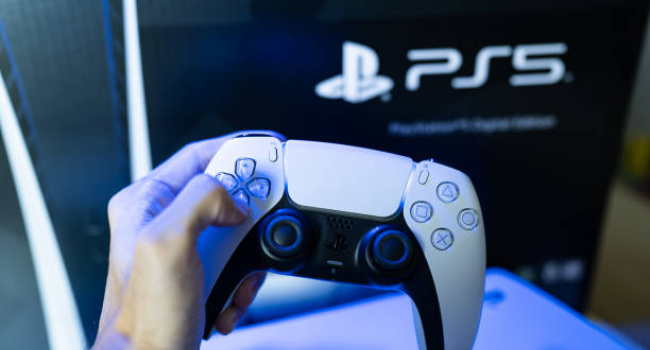
PlayStation won’t turn on: causes of the problem and how to fix it yourself
If your PlayStation suddenly “goes silent” — does not respond to the power button, the controller, or makes strange signals — do not rush to take it to a service center. In many cases, the issue can be fixed at home with simple steps. Below are the typical causes for PS3, PS4, and PS5, common model-specific problems, and step-by-step solutions.
Common reasons why a console won’t turn on
Before panicking, check the basics:
- Power supply issues. The most common and trivial cause is a faulty power strip or extension cord. Plug the console directly into a wall outlet and test the outlet with another device. If the power cable is damaged (bends, cracks, pet bite marks), replace it. An IEC C7 cable from any PlayStation model will work.
- Overheating and dust. If the console has not been cleaned for a long time, fans may be clogged and thermal paste dried out. Symptoms include sudden shutdowns during games, burning smells, and loud fan noise. In severe cases, the console turns on and immediately shuts off with a beep or indicator light.
- Power supply unit failure. A blown fuse due to a power surge or a failed PSU. Typical sign is a completely dead console with no sounds or lights, sometimes with a burnt smell inside.
- Software crash. Often happens after a failed firmware update, for example if power was lost during installation. On PS5, this may appear as a blue light instead of white.
- Hardware failures. Southbridge, chips, or power buttons can fail, especially on older models. The console shows no response at all.
Model-specific issues
PS5. Early revisions can suffer from insufficient cooling, leading to overheating and failure. Another common issue is not waking from rest mode, showing a yellow light but not activating. Solution: hold the power button for 10 seconds to force a hard shutdown.
PS4. Early batches often have sticking power or disc eject buttons, causing discs to eject on their own. Blinking blue light usually points to the PSU or southbridge, which can often be repaired relatively cheaply. Loud noise on PS4 Pro is usually due to worn cooling. No image often indicates a damaged HDMI port.
PS3. By 2026, this is an aging console. Many components fail simply due to age, most commonly the power supply. If it still works, use it carefully.
What you can do yourself: step-by-step plan
Most issues can be resolved without tools. Proceed in order:
- Check all connections. Change the wall outlet or power strip, HDMI cable, and TV or monitor. Always unplug cables only when devices are powered off.
- Hard reset and Safe Mode:
Turn off the console and unplug it for 10 to 15 minutes.
Hold the power button for about 10 seconds until you hear the second beep.
Turn it on and follow the on-screen instructions: system update, restore, or reboot. Low resolution in Safe Mode is normal. - Test the buttons. Try turning the console on using the power button on the console itself, not the controller. The controller may be faulty. Inserting a disc into a powered-off console sometimes helps it wake up.
- Dust cleaning. Remove the outer covers according to your model and gently vacuum the vents at low power through a cloth. Deeper cleaning and thermal paste replacement are better done in a service center.
- If there is a burning smell, do not turn it on. This indicates damage to the power supply or motherboard and requires professional repair.
If the console is under warranty, go straight to an authorized service center. Diagnostics and maintenance are usually free, and you may receive a replacement unit during repair.
When is a service center unavoidable
If the console remains completely unresponsive after all these steps, it likely has a hardware failure. DIY repair is risky without proper skills and equipment. In this case, professional service is the safest option.
In brief
A PlayStation usually fails to turn on due to power issues, dust and overheating, a faulty power supply, or software errors. Check the outlet and HDMI, try Safe Mode, and clean the console. PS5 commonly has cooling issues, PS4 often suffers from buttons or HDMI ports, and PS3 mainly from age-related failures. Many problems can be fixed at home, but if there is a burning smell or complete silence, professional repair is required. Regular cleaning prevents most issues.
- Related News
- Xbox is testing a revolutionary feature: digitizing physical discs
- Sony has changed PlayStation's strategy: AI now takes priority over PC ports
- Sony to begin scanning PlayStation messages and user activity
- Sony is preparing AI that will generate frames in real time during gameplay: Why gamers may not like it
- The most anticipated games of 2026: Top hits for PC and consoles
- Top 8 best gaming consoles at the start of 2026 according to TechRadar
- Tech Jobs
- Most read
month
week
day
- DeepSeek or ChatGPT: Which is better in 2026? 1229
- Cosmonaut Harutyun Kiviryan passes pre-flight exam on ISS simulator 703
- Anthropic teaches AI to control real-world machines 683
- Scientists have learned to transmit data by laser through atmospheric disturbances 677
- Beijing opens "Kindergarten" for robots: Machines learn from their own mistakes 660
- BepiColombo begins arrival at Mercury after nearly eight years of flight 655
- What will happen to the human body on Mars? 643
- Do white holes exist, and what does the Big Bang have to do with it? 612
- Dark matter detector captures the weakest neutrinos ever detected 589
- What Claude can do: A complete overview of one of the most popular AI assistants 586
- Archive