


Oversleeping your iPhone alarm will soon be harder: Apple makes turning off alarms more difficult in iOS 26.1
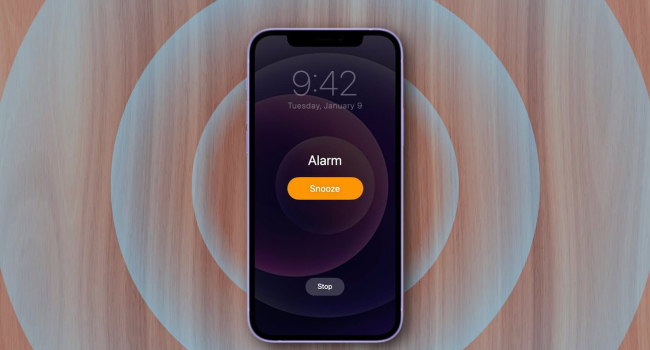
Apple has introduced the second beta version of iOS 26.1, which features a redesigned alarm screen interface. According to 9to5Mac, the update aims to make accidentally turning off alarms more difficult, reducing the chances of oversleeping important events. Now, to stop the alarm, users must use a “Slide to stop” gesture — swiping across the screen instead of pressing a large button, as was the case in previous iOS versions.
Response to User Complaints
The change comes in response to user feedback expressing dissatisfaction with the alarm redesign in iOS 26, released in September 2025. In that version, the buttons for dismissing and snoozing alarms were made significantly larger, which increased the risk of accidental taps and unintentionally turning off the alarm. The new “Slide to stop” mechanism also applies to timers, making interactions with them more deliberate.
Testing and Future Prospects
The final version of iOS 26.1 is expected to become available to all users by the end of October 2025. However, Apple may revise or cancel the new alarm design depending on the beta testing results. This demonstrates the company’s commitment to listening to user feedback and improving the overall user experience.
What’s New in iOS 26
iOS 26 has become one of the most significant iPhone updates in recent years. Among its key innovations is a redesigned interface style called Liquid Glass, which unifies the visual aesthetics across Apple’s ecosystem. Users received an updated lock screen with expanded customization options, new app icons, and smoother interface animations. Major improvements also affected standard apps such as Camera, Photos, Safari, and Phone, making them more functional and convenient to use.
- Related News
- Top flagships of August 2026: Experts name the five best smartphones
- A simple way to spend less time on your phone: Choosing your own goals?
- Foldable iPhone appeals to almost no one: Three-quarters of Americans don't want one
- The anniversary iPhone 20 will be as thin as the Air: what the insider revealed
- Apple prepares to raise iPhone prices following Samsung and Google
- What you must do before disposing of or selling your smartphone: useful tips
- Tech Jobs
- Most read
month
week
day
- From Excel to AI: A startup by specialists who relocated from Iran to Armenia helps businesses make sense of their data 617
- The anniversary iPhone 20 will be as thin as the Air: what the insider revealed 598
- How NASA's primary training centre is changing in the era of commercial space stations 573
- Robot knocks out teeth of five year old girl: Incident at Chinese museum leads to lengthy compensation dispute 536
- Why Bill Gates is no longer an AI optimist: Three major threats of AI 532
- Top flagships of August 2026: Experts name the five best smartphones 521
- How to make your new smartphone more secure: expert tips 474
- 10,000 tiny probes to Saturn's rings and robots in lunar caves: NASA funds 18 visionary ideas 472
- "Dark photons" back in play: scientists revise constraints on dark matter 456
- Apple prepares to raise iPhone prices following Samsung and Google 450
- Archive