


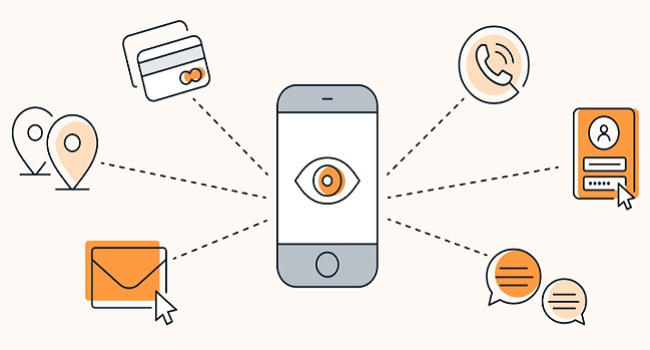
How to disable spy features in smartphone apps
Modern smartphones give apps extensive access to user data, including location, contacts, and even microphone recordings. However, unnecessary access to this information can threaten your privacy, potentially leading to data leaks or targeted advertising. Experts from the Roskachestvo Center for Digital Expertise have shared how to minimize unwanted tracking and protect your personal data.
Signs of Unwanted Tracking
One of the main indicators that an app may be tracking your location unnecessarily is the appearance of ads related to places you've recently visited. For example, if you visited a café and soon after received an ad for a nearby restaurant, it could suggest your location data is being shared with ad networks. Often, this data is collected with your consent, given when you accept an app’s privacy policy. However, some apps request access to location services without a clear reason, which calls for greater vigilance.
Steps to Protect Your Privacy
To reduce data collection and disable spying features in apps, follow these recommendations:
- Review and Limit App Permissions
Start by analyzing the permissions granted to installed apps. If, for example, an e-book app requests access to your location or microphone, that’s a red flag.
- On iPhone:
- Go to Settings → Privacy & Security.
- Check sections like Location Services, Microphone, Camera, etc.
- Set access for each app to Never, While Using the App, or Always (the last is not recommended). For example, location access can be completely disabled for notes apps.
- In the Tracking section, disable data collection for advertising purposes.
- On Android:
- Go to Settings → Apps → Permissions (or Permission Manager).
- Review permissions for location, microphone, camera, and others.
- Disable or limit unnecessary access by selecting Only While Using the App.
- Under Privacy, enable Remove permissions for unused apps to automatically revoke access for rarely used apps.
- Turn Off Location Services When Not Needed
The most effective way to prevent location tracking is to disable it when not necessary. This won't affect the functionality of most apps but will stop background data transfers.
- On iPhone:
- Go to Settings → Privacy & Security → Location Services.
- Turn off Location Services entirely or configure access per app.
- Disable Precise Location for apps that only need general location (e.g., weather apps).
- On Android:
- Swipe down the notification shade and turn off the Location icon in quick settings.
- Or go to Settings → Location and disable it.
- Use High Accuracy Mode only when necessary to limit GPS access.
Note: Disabling location services won’t remove previously collected data but will prevent further collection.
- Read Privacy Policies
Before installing an app, carefully read its privacy policy. It should clearly state:
- What data is collected (e.g., location, contacts, search history).
- How the data is used (e.g., service improvement, third-party sharing).
- Who receives the data (e.g., ad networks, analytics companies).
If the policy is vague or the app requests excessive data, it’s better to avoid installing it. Unfortunately, many users skip this step and automatically agree to all terms.
- Use Additional Security Measures
- Keep your system updated: Regularly install iOS or Android updates to patch vulnerabilities and improve data security.
- Limit background activity: On iPhone: Settings → General → Background App Refresh — disable it for unnecessary apps. On Android: Settings → Apps → limit background usage.
- Use a VPN: VPNs encrypt your internet connection, making it harder to track your activity — especially useful on public Wi-Fi.
- Uninstall unused apps: They may still collect data in the background. Removing them reduces privacy risks.
- Check ad identifiers:
- On iPhone: Settings → Privacy & Security → Apple Advertising — disable personalized ads and reset the ad ID.
- On Android: Settings → Privacy → Ads — reset the ad ID or enable Opt out of Ads Personalization.
Expert Advice from Roskachestvo
“Our location is constantly being tracked — from mobile operators to weather apps. This should not be taken lightly. Data protection is in your hands: review app permissions, turn off location when it's not needed, and read privacy policies. Even small steps can reduce the risk of surveillance,” said Sergey Kuzmenko, head of Roskachestvo’s Center for Digital Expertise.
In Summary
Disabling spying features in smartphone apps requires attention but is entirely manageable. Regularly reviewing permissions, disabling location access, and reading privacy policies help reduce data collection. Using a VPN and keeping your system updated add an extra layer of protection. These simple actions allow you to maintain control over your personal information and reduce the risk of unwanted tracking.
- Related News
- Blue light from screens: Is it really dangerous for eyes, and what should you know?
- Top flagships of August 2026: Experts name the five best smartphones
- A simple way to spend less time on your phone: Choosing your own goals?
- Foldable iPhone appeals to almost no one: Three-quarters of Americans don't want one
- The anniversary iPhone 20 will be as thin as the Air: what the insider revealed
- Apple prepares to raise iPhone prices following Samsung and Google
- Tech Jobs
- Most read
month
week
day
- Two comets will be visible in Autumn 2026 1258
- DeepSeek or ChatGPT: Which is better in 2026? 1038
- NASA successfully launches Nancy Grace Roman space telescope – "Hubble's successor" 666
- Anthropic teaches AI to control real-world machines 650
- New Apple CEO to refresh top management team: What we know 634
- Scientists have learned to transmit data by laser through atmospheric disturbances 623
- Cosmonaut Harutyun Kiviryan passes pre-flight exam on ISS simulator 623
- Beijing opens "Kindergarten" for robots: Machines learn from their own mistakes 603
- What will happen to the human body on Mars? 588
- Dark matter detector captures the weakest neutrinos ever detected 550
- Archive