


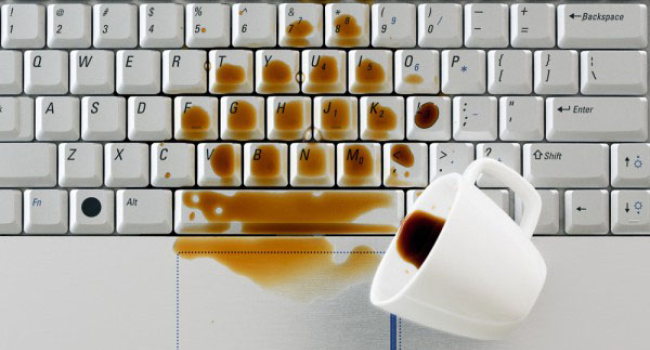
How to save a keyboard after a spill: A step-by-step guide
Spilling tea, coffee, or soda on a keyboard is a classic accident, and it can become expensive if the liquid reaches a laptop’s motherboard. According to Ruslan Permyakov, deputy director of the NTI Center for Trusted Interaction Technologies, as well as service engineers in Moscow and St. Petersburg, there is a clear sequence of actions that can save the device in 70 to 80 percent of cases—provided it is followed within the first 10 to 15 minutes.
The First 30 Seconds: What to Do Immediately
- Disconnect the power at once
- Laptop: hold down the power button for 5 to 10 seconds to force a shutdown
- External keyboard: unplug the USB cable or turn off Bluetooth
Users are advised not to reboot the device or test whether it still works, since doing so almost always damages the board.
- Turn the device upside down
This allows the liquid to drain outward instead of deeper inside. - Disconnect the battery if possible
- External keyboard: remove batteries or the built-in pack
- Laptop: if the model has a removable battery (rare in 2025), take it out; if not, at least unplug the charger
The Next 10–30 Minutes: Removing the Liquid
- Blot any visible liquid with a dry, absorbent cloth such as microfiber or paper towels. Do not rub; simply press to absorb.
- For laptops: place the machine on its side or in a tent-like position (opened to 90–120 degrees) with the keyboard facing down on a towel so liquid can drain through ventilation openings.
- For external keyboards: turn it upside down and gently shake it over a sink.
The Next 24–72 Hours: Complete Drying
The device should never be switched on sooner than 48 hours after a spill, and 72 hours is safer.
What to do:
- Place the keyboard or laptop in a dry, warm environment at around 20–25 degrees Celsius with good airflow.
- Keep an open packet of silica gel nearby. Rice can be used but is less effective and may leave debris.
- A fan or a hair dryer set to cool air can be used at a distance of 30–40 centimeters.
What not to do:
- Do not use hot air from a hair dryer
- Do not put the device in an oven or microwave
- Do not use a vacuum cleaner, which may generate static electricity
Special Considerations for Sugary and Alcoholic Drinks
- Sugary drinks such as cola, juice, or sweetened tea are particularly dangerous because sugar crystallizes and causes corrosion within hours or days
- Coffee with milk leaves fatty residues that clog membranes
- Alcoholic beverages evaporate quickly but often leave sticky films
In these cases, after the initial 48-hour drying period, the keys should be rinsed with distilled water or 99 percent isopropyl alcohol if the user is confident in handling the procedure.
When You Should Definitely Go to a Repair Shop
- More than 50 milliliters of liquid were spilled
- Liquid entered the laptop’s ventilation openings
- Sticky keys, phantom presses, or non-functional key groups appear 3–5 days after drying
- The laptop emits a burning smell when switched on
Summary
If a drink is spilled on a keyboard, the correct sequence is to power off the device immediately, turn it upside down, blot off the liquid, and let it dry for 48–72 hours with the keyboard facing downward and silica gel nearby. Sugary beverages are especially hazardous due to corrosion risks. If large amounts of liquid entered the device or the spill reached internal components, it is best to take the machine to a repair service within 24 hours. Acting quickly saves the device in roughly 8 out of 10 cases.
- Related News
- Which MacBook to buy in 2026: A guide to all models
- Why fast charging accelerates battery wear in smartphones and laptops
- Enthusiast turns Google Pixel 9 into a full-fledged laptop with 3D printing
- Apple to raise device prices due to memory shortage
- Why laptop manufacturers are massively returning to 8 GB of RAM
- Apple turns manufacturing defects into profit: how the company uses “defective” processors
- Tech Jobs
- Most read
month
week
day
- Two comets will be visible in Autumn 2026 1270
- DeepSeek or ChatGPT: Which is better in 2026? 1053
- NASA successfully launches Nancy Grace Roman space telescope – "Hubble's successor" 666
- Anthropic teaches AI to control real-world machines 651
- New Apple CEO to refresh top management team: What we know 637
- Cosmonaut Harutyun Kiviryan passes pre-flight exam on ISS simulator 629
- Scientists have learned to transmit data by laser through atmospheric disturbances 627
- Beijing opens "Kindergarten" for robots: Machines learn from their own mistakes 607
- What will happen to the human body on Mars? 591
- Dark matter detector captures the weakest neutrinos ever detected 556
- Archive